Best Accounting Software for Small Businesses
Best Small Business Accounting Software
Managing business finances becomes more complicated as a company grows.
A small business may need to send invoices, track expenses, reconcile bank transactions, monitor cash flow, manage bills, prepare financial reports, and share information with an accountant. Trying to handle all of that with spreadsheets can quickly become inefficient.
Accounting software can make those tasks easier by keeping financial information organized in one place and automating some of the repetitive work.
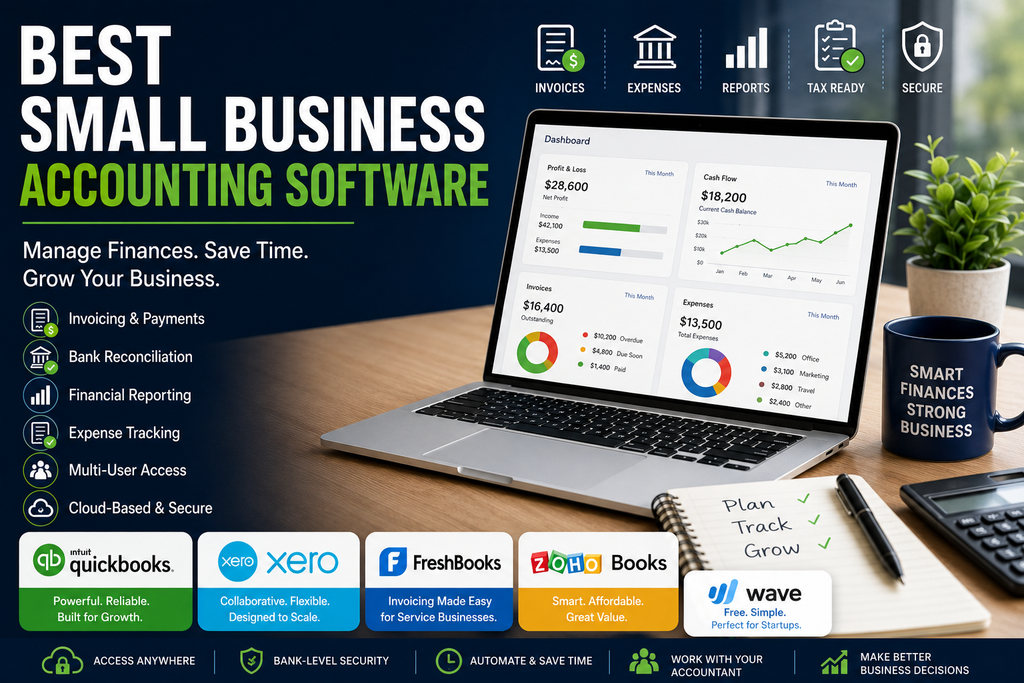
In this guide to the best small business accounting software, we compare several popular options based on pricing, invoicing, bookkeeping, reporting, ease of use, integrations, and suitability for different types of small businesses.
Quick Comparison
| Accounting Software | Best For | Starting Price | Main Strength |
|---|---|---|---|
| QuickBooks Online | Businesses wanting a broad accounting platform | From $38/month before promotions | Strong overall feature set and accountant ecosystem |
| Xero | Growing businesses and teams | From $25/month before promotions | Unlimited users on standard plans and strong collaboration |
| FreshBooks | Freelancers and service businesses | From $23/month before promotions | Invoicing and client-focused workflow |
| Zoho Books | Cost-conscious small businesses | Free plan available | Strong value and automation |
| Wave | Very small businesses and sole proprietors | Free plan available | Simple bookkeeping and invoicing |
Pricing and promotions can change. Always confirm the latest rates and plan features directly with each provider before purchasing.
What Should Small Business Accounting Software Do?
Good accounting software should help a business understand where its money is coming from, where it is going, and what needs attention.
Depending on the product and plan, useful features may include:
- Invoicing
- Expense tracking
- Bank reconciliation
- Bill management
- Financial reporting
- Cash-flow tracking
- Sales-tax tools
- Receipt capture
- Payroll integrations
- Inventory tracking
- Project profitability
- Multi-currency support
- Accountant access
- Online payments
Not every business needs every feature.
A freelancer may care most about invoicing and expense tracking, while a growing retail business may need inventory, purchase orders, and more detailed reporting.
1. QuickBooks Online
Best for businesses wanting a broad accounting platform
QuickBooks Online is one of the most widely used accounting platforms for small businesses.
It offers several plans designed for different levels of complexity, from basic bookkeeping to more advanced reporting and financial management.
Pricing
QuickBooks Online currently lists these regular US prices:
- Simple Start: $38 per month
- Essentials: $75 per month
- Plus: $115 per month
- Advanced: $275 per month
Promotional discounts are often available for new customers.
Simple Start supports one user plus accountant access, while Essentials supports three users, Plus supports five, and Advanced supports up to 25 users.
Key Features
Depending on the plan, QuickBooks can provide:
- Income and expense tracking
- Automated transaction categorization
- Invoicing
- Online payments
- Bill management
- Cash-flow tracking
- Financial reports
- Sales-tax tools
- Project profitability
- Budgeting
- Inventory features
- Custom reports
- Accountant access
QuickBooks has also been adding more AI-assisted bookkeeping and financial-management features.
Ease of Use
QuickBooks offers a relatively polished interface, but the large number of features can make it feel more complex than simpler accounting tools.
Small businesses may need some time to understand:
- Chart of accounts
- Bank reconciliation
- Reporting
- Categories
- Projects
- Sales tax
- User permissions
The strong accountant ecosystem can be helpful because many bookkeepers and accountants already work with QuickBooks.
What We Like
- Broad accounting feature set
- Strong invoicing
- Bank reconciliation
- Good reporting
- Large accountant and bookkeeper ecosystem
- Payroll and payment integrations
- Inventory and project features on higher plans
- Suitable for growing businesses
Potential Drawbacks
- More expensive than many competitors
- Pricing increases significantly between plans
- Some useful features require higher tiers
- Can feel complex for very small businesses
- User limits vary by plan
Who Should Consider It?
QuickBooks Online is a strong option for businesses that want a mature accounting platform and expect their bookkeeping requirements to become more complex over time.
It is particularly attractive if your accountant already uses QuickBooks.
2. Xero
Best for growing businesses and teams
Xero is a cloud-based accounting platform designed for small businesses, bookkeepers, and accountants.
One of its biggest advantages is that it does not use the same per-user limits found on many competing accounting platforms.
That can make it especially attractive for businesses where several employees need access.
Pricing
Xero’s current US regular pricing is:
- Early: $25 per month
- Growing: $55 per month
- Established: $90 per month
Promotional discounts may reduce the initial price for new customers.
Xero has also announced pricing changes taking effect later in 2026, so businesses should confirm current rates before subscribing.
Xero Early
The Early plan is aimed at smaller businesses with relatively simple bookkeeping requirements.
It includes features such as:
- Quotes
- Limited invoicing
- Limited bill entry
- Bank reconciliation
- Financial reports
- Sales-tax tools
- Online payments
- Cash-flow forecasting
The invoice and bill limits make it less suitable for businesses with higher transaction volumes.
Xero Growing
Growing removes many of the limits found in Early.
It adds broader invoicing and bill-management capabilities along with stronger reporting and cash-flow tools.
For many established small businesses, this is likely to be the most practical Xero plan.
Xero Established
Established is aimed at businesses with more advanced requirements.
It includes features such as:
- Multi-currency support
- Project tracking
- Expense and mileage claims
- Longer cash-flow forecasting
- KPI analysis
- More advanced performance insights
What We Like
- Strong collaboration
- No traditional per-user licensing on core plans
- Good bank reconciliation
- Strong financial reporting
- Clean cloud-based interface
- Multi-currency available
- Project tracking on higher plans
- Good fit for growing businesses
Potential Drawbacks
- Early plan has invoice and bill limits
- Higher plans can become expensive
- Payroll capabilities vary by country
- Some businesses may find QuickBooks more familiar through their accountant
Who Should Consider It?
Xero is especially attractive for businesses where multiple employees, owners, bookkeepers, or accountants need access to the same accounting system.
It is also a strong alternative for companies that find QuickBooks too restrictive on user counts.
3. FreshBooks
Best for freelancers and service-based businesses
FreshBooks started with a strong focus on invoicing and has expanded into broader accounting and bookkeeping features.
Its workflow remains particularly well suited to freelancers, consultants, agencies, contractors, and other service-based businesses.
Pricing
FreshBooks currently lists regular US monthly prices around:
- Lite: $23 per month
- Plus: $43 per month
- Premium: $70 per month
FreshBooks frequently offers substantial introductory discounts, so the amount a new customer initially pays may be much lower.
Annual billing can also reduce the effective monthly cost.
Client-Based Plans
FreshBooks structures some of its plans around the number of billable clients.
Lite supports up to five clients.
Plus supports up to 50.
Premium supports unlimited clients.
That means a business should consider not only features but also how many customers it regularly invoices.
Key Features
Depending on the plan, FreshBooks offers:
- Invoicing
- Estimates
- Expense tracking
- Online payments
- Time tracking
- Financial reports
- Receipt scanning
- Proposals
- Client retainers
- Project profitability
- Accountant access
Invoicing
Invoicing is one of FreshBooks’ strongest areas.
Businesses can create professional invoices, track payment status, accept online payments, and automate some payment reminders.
This makes it particularly useful for companies that bill clients directly for services.
What We Like
- Strong invoicing
- Good for service businesses
- Time tracking
- Expense tracking
- Estimates and proposals
- Project profitability on higher plans
- Easy client-focused workflow
- Free trial available
Potential Drawbacks
- Client limits on lower plans
- Additional team members cost extra
- Less suitable for complex inventory businesses
- Regular pricing can become expensive as requirements grow
Who Should Consider It?
FreshBooks is one of the strongest options for freelancers, consultants, agencies, and service businesses where invoicing clients is central to daily operations.
4. Zoho Books
Best for businesses wanting strong value and automation
Zoho Books is one of the most competitively priced accounting platforms in this comparison.
It offers a free plan for qualifying small businesses as well as several paid tiers with increasingly advanced features.
It also integrates closely with the broader Zoho software ecosystem.
Pricing
Zoho Books currently offers:
- Free: $0
- Standard: $15 per organization per month when billed annually
- Professional: $40 per organization per month when billed annually
- Premium: $60 per organization per month when billed annually
- Higher Elite and Ultimate plans are also available
Monthly billing costs more.
The free plan is available for qualifying businesses and includes one user plus one accountant.
Free Plan
The free plan includes a surprisingly broad set of features such as:
- Invoicing
- Quotes
- Expense tracking
- Bank reconciliation
- Recurring invoices
- Vendor management
- Customer portal
- Online payments
- Financial reports
- Mileage tracking
There are usage and eligibility limits, so businesses should check the current conditions.
Standard Plan
Standard adds features such as:
- Bank feeds
- Recurring expenses
- Custom reports
- More invoice capacity
- Additional users
- API access
- Advanced transaction controls
Professional and Higher Plans
Higher Zoho Books tiers add capabilities such as:
- Inventory tracking
- Purchase orders
- Multi-currency
- Project profitability
- Custom workflows
- Budgets
- Cash-flow forecasting
- Advanced analytics
- Warehouse management
Automation
Zoho Books is particularly strong when businesses want to automate repetitive accounting processes.
Depending on the plan, users can configure:
- Payment reminders
- Recurring invoices
- Workflows
- Custom functions
- Approval processes
- Notifications
What We Like
- Free plan available
- Strong value
- Good automation
- Invoicing and expense tracking
- Bank reconciliation
- Inventory on higher plans
- Multi-currency support
- Integration with Zoho CRM and other Zoho products
Potential Drawbacks
- Many plan levels can make selection confusing
- Free-plan eligibility and usage limits apply
- Some advanced features require higher tiers
- Businesses outside the Zoho ecosystem may not benefit from all integrations
Who Should Consider It?
Zoho Books is particularly attractive for small businesses that want good accounting features at a lower price than many competitors.
It becomes even more compelling if the company already uses Zoho CRM or other Zoho business applications.
5. Wave
Best for sole proprietors and very small businesses
Wave takes a simpler approach to small-business accounting.
It offers a free Starter plan together with a paid Pro plan.
That makes it especially attractive for sole proprietors, new businesses, and very small companies that do not need advanced accounting administration.
Pricing
Wave currently offers:
- Starter: Free
- Pro: $19 per month
- Pro annual plan: $190 per year
Wave also offers optional payment processing, payroll, bookkeeping support, and other paid services.
Starter Plan
The free Starter plan includes:
- Unlimited invoices
- Estimates
- Bills
- Bookkeeping records
- Basic customer management
- Cash-flow dashboard
- Optional online payments
For a very small business, that can cover a surprising amount of basic financial administration.
Pro Plan
Wave Pro adds features such as:
- Automatic bank transaction import
- Automatic transaction categorization
- Receipt capture
- Automated late-payment reminders
- Lower payment-processing fees in some situations
- Additional automation
Ease of Use
Wave’s simplicity is one of its main advantages.
A sole proprietor who mainly needs to:
- Send invoices
- Track income
- Track expenses
- Maintain bookkeeping records
may find Wave easier to manage than a more complex platform.
What We Like
- Free accounting plan
- Unlimited invoicing on Starter
- Simple interface
- Good fit for sole proprietors
- Paid plan remains relatively affordable
- Optional payroll and bookkeeping support
- Easy starting point for new businesses
Potential Drawbacks
- Less advanced than QuickBooks, Xero, or Zoho Books
- Limited inventory capabilities
- Not ideal for complex accounting workflows
- Some automation requires Pro
- Availability of some services varies by country
Who Should Consider It?
Wave is especially attractive for freelancers, sole proprietors, and very small businesses that need basic bookkeeping and invoicing without paying a monthly accounting-software subscription.
Which Small Business Accounting Software Is Best?
There is no single accounting platform that is best for every company.
Choose QuickBooks Online If
QuickBooks may be the best fit if:
- You want a broad accounting platform
- Your accountant already works with QuickBooks
- You need strong reporting
- You expect your accounting needs to grow
- You need inventory or project features
- You want a large ecosystem of integrations
Choose Xero If
Xero may be the best fit if:
- Multiple people need accounting access
- You want strong collaboration
- You value bank reconciliation
- You need multi-currency support
- You want an alternative to QuickBooks
Choose FreshBooks If
FreshBooks may be the best fit if:
- You are a freelancer or consultant
- Your business bills clients for services
- You track billable time
- You need estimates and proposals
- Project profitability matters
Choose Zoho Books If
Zoho Books may be the best fit if:
- Keeping software costs low is important
- You want a free or affordable starting option
- You value workflow automation
- Your business already uses Zoho
- You may need inventory and advanced features later
Choose Wave If
Wave may be the best fit if:
- You are a sole proprietor
- Your accounting needs are relatively simple
- You want free bookkeeping software
- You mainly need invoicing and expense tracking
- You do not require advanced inventory or reporting
QuickBooks vs Xero
QuickBooks and Xero are likely to be the two products many established small businesses compare first.
QuickBooks has a strong reputation, a large accountant ecosystem, and a broad feature set.
Xero provides strong collaboration and generally allows more users without moving through restrictive user limits.
For a company with only one or two people managing the books, QuickBooks’ user limits may not matter.
For a company where several employees, accountants, and bookkeepers require access, Xero’s approach can be more attractive.
We will cover these differences in more detail in our QuickBooks vs Xero for Small Businesses comparison.
Accounting Software for Freelancers
Freelancers often have different accounting requirements from retail stores or growing companies.
The most important features may be:
- Invoicing
- Time tracking
- Expense tracking
- Estimates
- Online payments
- Tax reports
FreshBooks is particularly strong in this area because its workflow is designed around clients and billable services.
Wave can also be attractive when the business is very small and cost is the main concern.
Accounting Software for Growing Businesses
As a business grows, accounting software needs often become more complex.
The company may eventually need:
- Multiple users
- Inventory
- Purchase orders
- Budgeting
- Cash-flow forecasting
- Custom permissions
- Advanced reporting
- Payroll integration
- Multi-currency
- Project profitability
QuickBooks, Xero, and Zoho Books generally provide stronger paths for growing businesses than simpler invoicing-focused tools.
Cloud Accounting vs Desktop Accounting
Most modern small businesses are moving toward cloud accounting software.
Cloud-based platforms can provide several benefits:
- Access from different locations
- Automatic software updates
- Easier accountant collaboration
- Mobile access
- Bank integrations
- Cloud-based backups
- Easier remote work
Desktop accounting software may still make sense in specialized situations, but cloud accounting is generally more convenient for small teams working across multiple devices or locations.
What Features Should You Look For?
When choosing small business accounting software, focus on the way your business actually handles money.
Invoicing
If customers pay by invoice, look for:
- Customizable invoices
- Recurring invoices
- Payment reminders
- Online payment options
- Invoice status tracking
Expense Tracking
Good expense tools can reduce manual bookkeeping.
Look for:
- Bank feeds
- Receipt capture
- Automatic categorization
- Mileage tracking
- Recurring expenses
Bank Reconciliation
Bank reconciliation helps verify that accounting records match actual bank activity.
This is one of the most important routine bookkeeping tasks.
Financial Reporting
At minimum, a business should be able to produce:
- Profit and loss statement
- Balance sheet
- Cash-flow information
- Accounts receivable reports
- Expense reports
More advanced businesses may need customized reporting.
Accountant Access
Your accountant or bookkeeper should be able to access the system without requiring you to constantly export and email files.
Integrations
Consider whether the software connects to:
- Banks
- Payment processors
- Payroll
- CRM software
- E-commerce platforms
- Inventory systems
- Expense-management tools
How Much Should You Spend?
The cheapest accounting software is not necessarily the best value.
A free platform may be perfectly adequate for a sole proprietor.
A growing business may benefit from paying more for:
- Automation
- Better reporting
- Inventory
- Additional users
- Payroll integrations
- Custom permissions
- Project tracking
The important question is whether the software saves enough time and improves financial visibility enough to justify its cost.
Common Accounting Software Mistakes
Choosing Only by Price
A cheaper product can become expensive if employees spend extra time working around missing features.
Ignoring User Limits
Some accounting products restrict how many people can use the account.
Consider future growth before choosing a plan.
Buying Too Many Features
A two-person business usually does not need enterprise-level accounting tools.
Start with what you genuinely need.
Ignoring Your Accountant
Ask your accountant or bookkeeper which systems they already support.
Using software they know well can make collaboration much easier.
Failing to Reconcile Accounts
Accounting software does not automatically guarantee accurate books.
Bank and credit-card accounts still need to be reviewed and reconciled regularly.
Is Free Accounting Software Good Enough?
For some very small businesses, yes.
Wave and Zoho Books both provide free options that may be enough for basic bookkeeping and invoicing.
Free accounting software is most suitable when:
- The business is very small
- Transaction volume is limited
- Inventory is simple or unnecessary
- Only one or two people need access
- Advanced reports are not required
As the company grows, moving to a paid platform may provide better automation, administration, and reporting.
Our Recommendation
For an established small business that wants a broad accounting platform, QuickBooks Online remains one of the strongest choices.
For businesses where several people need access and collaboration matters, Xero is a particularly strong alternative.
For freelancers, consultants, and service-based businesses, FreshBooks provides an excellent client-focused workflow.
For companies focused on value and automation, Zoho Books offers an impressive set of features at competitive pricing.
For sole proprietors and very small businesses with simple requirements, Wave is difficult to ignore because its Starter plan is free.
The best choice depends on your team size, transaction volume, business model, accountant preferences, and how complex your financial management needs are.
Choose the Right Accounting Platform
Choosing reliable small business accounting software can save time, improve financial organization, and make it easier to understand how your business is performing.
Before subscribing, identify the features you actually need and test the product with your real workflow.
Create an invoice.
Connect a bank account.
Run a financial report.
Invite your accountant.
Check how easy it is to find the information you need.
A product that looks impressive on a pricing page is not necessarily the best software for your business if it is difficult to use every day.
For more practical software guidance, visit our Business Software, Reviews, and Comparisons sections.
Accounting-software prices, promotions, features, and plan limits can change. Confirm current information directly with each provider before purchasing.
