Best Multi-Factor Authentication Tools for Small Businesses
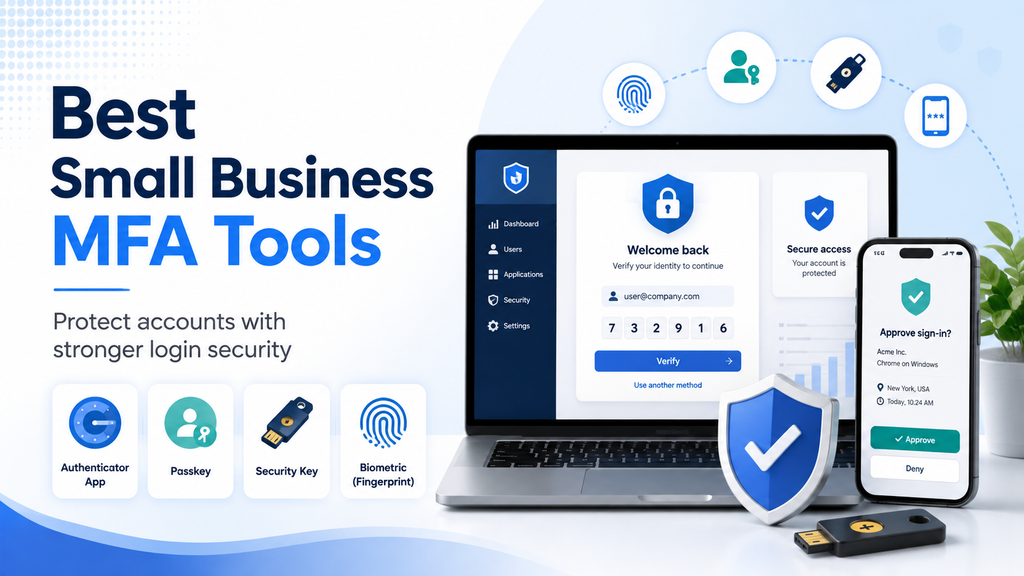
Best Small Business MFA Tools
Passwords alone are no longer enough to protect important business accounts.
Employees may use email, accounting software, cloud storage, customer management systems, project tools, website dashboards, and dozens of other online services. If one password is stolen through phishing, malware, password reuse, or a data breach, an attacker may be able to access sensitive company information.
Multi-factor authentication adds another layer of protection by requiring users to prove their identity in more than one way.
For small businesses, the challenge is choosing a solution that improves security without making everyday work unnecessarily difficult.
In this guide to the best small business MFA tools, we compare several practical options based on security, ease of use, pricing, integrations, administration, and suitability for smaller teams.
Quick Comparison
| MFA Tool | Best For | Starting Cost | Main Strength |
|---|---|---|---|
| Cisco Duo | Small businesses wanting dedicated MFA | Free for up to 10 users | Simple deployment and broad integrations |
| Microsoft Entra ID | Businesses using Microsoft 365 | Depends on existing Microsoft licensing | Strong Microsoft ecosystem integration |
| JumpCloud | Businesses wanting MFA plus identity management | From $3/user/month annually | Centralized identity and access control |
| Google Workspace 2-Step Verification | Businesses already using Google Workspace | Included with eligible Workspace accounts | Easy integration with Google accounts |
Pricing, licensing, and product features can change. Always confirm current information directly with the provider before purchasing or deploying a service.
What Is Multi-Factor Authentication?
Multi-factor authentication, usually shortened to MFA, requires a user to provide more than one form of verification before gaining access to an account or system.
A typical login might require:
- Something you know, such as a password
- Something you have, such as a phone or hardware security key
- Something you are, such as a fingerprint or face scan
For example, an employee may enter a password and then approve the login through an authenticator app.
This means that stealing the password alone may not be enough for an attacker to access the account.
Why Small Businesses Should Use MFA
Small businesses often rely heavily on cloud services but may not have dedicated security teams.
That creates a difficult situation: important systems are accessible online, but there may be limited time and staff available to monitor security.
MFA can reduce the risk created by:
- Stolen passwords
- Credential phishing
- Password reuse
- Weak passwords
- Leaked credentials
- Unauthorized remote access
MFA should be especially important for administrator accounts, business email, financial systems, cloud platforms, password managers, and any account containing sensitive information.
1. Cisco Duo
Best for small businesses wanting a dedicated MFA platform
Cisco Duo is one of the most established MFA platforms for businesses.
It is designed to protect access to cloud applications, VPNs, servers, remote access systems, and other business resources.
One of Duo’s biggest advantages for small companies is its free plan.
Duo Pricing
Duo Free currently supports up to 10 users at no cost.
The free plan includes:
- Multi-factor authentication
- Duo authenticator app
- Support for multiple applications
- Basic administration
- Common authentication methods
Duo Essentials currently costs $3 per user per month and adds features such as phishing-resistant MFA, passwordless authentication, single sign-on, trusted endpoints, and additional access controls.
Higher plans add more advanced identity and device-security capabilities.
Ease of Use
Duo is designed to make authentication relatively simple for employees.
Users can approve login requests through Duo Push, use passcodes, and access other supported authentication methods depending on the configuration.
For small businesses without dedicated security staff, Duo’s relatively straightforward administration can be an advantage.
Integrations
Duo supports a wide range of business applications and services.
It can protect access to:
- VPN systems
- Cloud applications
- Microsoft environments
- Remote desktop systems
- Web applications
- Infrastructure and administrative tools
The exact setup depends on the application being protected.
What We Like
- Free plan for up to 10 users
- Strong MFA capabilities
- Broad application support
- Simple user experience
- Phishing-resistant options on paid plans
- Passwordless authentication available
- Easy upgrade path as the business grows
Potential Drawbacks
- More advanced security controls require paid plans
- Businesses already heavily invested in Microsoft or Google may prefer native authentication tools
- Some integrations require more technical setup than simple cloud applications
Who Should Consider Duo?
Duo is particularly attractive for small businesses that want a dedicated MFA platform that can protect multiple types of systems.
For a company with 10 or fewer users, the free plan makes it especially easy to test.
2. Microsoft Entra ID and Microsoft Authenticator
Best for businesses using Microsoft 365
Businesses already using Microsoft 365 should strongly consider Microsoft Entra ID and Microsoft Authenticator before purchasing a separate MFA platform.
Microsoft Entra ID is Microsoft’s cloud identity and access-management platform.
Microsoft Authenticator can be used as one of several authentication methods for Microsoft accounts and Entra-managed business environments.
Supported methods can include:
- Microsoft Authenticator notifications
- Passkeys
- Time-based one-time passwords
- Security keys
- Windows Hello for Business
- Certificate-based authentication
- Other supported authentication methods
Why It Works Well for Microsoft Businesses
If employees already use Microsoft 365 for email, Teams, OneDrive, SharePoint, and other services, Entra-based MFA fits naturally into the same environment.
Administrators can manage users and authentication from Microsoft’s identity platform rather than introducing a separate system.
Security
Microsoft increasingly encourages stronger authentication methods such as passkeys and phishing-resistant authentication rather than relying only on SMS.
That is important because not all MFA methods provide the same level of protection.
Authenticator apps, passkeys, and hardware security keys generally provide stronger protection against certain attacks than basic SMS codes.
What We Like
- Strong integration with Microsoft 365
- Multiple authentication methods
- Support for passkeys
- Microsoft Authenticator app
- Centralized identity management
- Strong administrative ecosystem
- Suitable for businesses already using Microsoft services
Potential Drawbacks
- Licensing can be confusing
- Advanced Conditional Access and identity features may require paid Entra plans
- Businesses outside the Microsoft ecosystem may find simpler alternatives easier to manage
Who Should Consider Microsoft Entra MFA?
Businesses already using Microsoft 365 should evaluate Entra ID before adding a separate MFA product.
For many Microsoft-based organizations, keeping identity and authentication inside the same ecosystem can simplify administration.
3. JumpCloud
Best for businesses wanting MFA plus broader identity management
JumpCloud is more than an MFA application.
It combines identity management, device management, single sign-on, directory services, and authentication capabilities into one platform.
This can make it useful for small businesses that want to manage users, devices, and access from a central system.
JumpCloud MFA Pricing
JumpCloud currently lists its standalone MFA capability at:
- $3 per user per month when billed annually
- $4 per user per month when billed monthly
JumpCloud also offers broader packages that combine MFA with SSO, device management, and other identity services.
Authentication Methods
JumpCloud supports several authentication options, including:
- JumpCloud Protect
- Push authentication
- Time-based one-time passwords
- Hardware security keys
- Biometrics
- Certificates
- Other supported authentication methods
JumpCloud Protect is its authenticator application for push and TOTP authentication.
Why It Stands Out
The main advantage of JumpCloud is that MFA can become part of a broader identity-management system.
A business can potentially use the same platform for:
- User accounts
- Device management
- MFA
- SSO
- Directory services
- Access policies
- Employee onboarding and offboarding
That can reduce the number of separate tools an administrator needs to manage.
What We Like
- Strong centralized administration
- Multiple authentication methods
- Push and TOTP support
- Hardware-key support
- Device and identity management options
- Useful for growing businesses
- Flexible modular pricing
Potential Drawbacks
- More complex than a simple authenticator app
- Businesses that only need basic MFA may not need the broader platform
- Costs can increase when additional JumpCloud products are added
Who Should Consider JumpCloud?
JumpCloud is a strong option for small businesses that want MFA as part of a broader identity and device-management strategy.
It may be particularly useful for growing companies that need centralized control over employee accounts and devices.
4. Google Workspace 2-Step Verification
Best for businesses using Google Workspace
Businesses that already use Gmail, Google Drive, Google Meet, and other Google Workspace services may not need a separate MFA platform for their Google accounts.
Google provides 2-Step Verification and several authentication methods that can strengthen account security.
These can include:
- Google prompts
- Authenticator apps
- Passkeys
- Hardware security keys
- Backup codes
- Other supported verification methods
Why It Works Well for Google Workspace
Google Workspace administrators can require stronger authentication for business accounts.
This is especially important for administrators because a compromised administrator account may provide access to sensitive business data and security settings.
Google specifically recommends strong 2-Step Verification for administrator accounts.
Security Keys and Passkeys
Google supports security keys and passkeys, which can provide stronger protection against phishing than basic SMS verification.
Hardware security keys can be particularly useful for:
- Administrators
- Finance staff
- Business owners
- Employees with access to highly sensitive systems
Businesses should also keep backup authentication methods available in case a device or security key is lost.
What We Like
- Natural fit for Google Workspace
- No separate MFA platform required for Google accounts
- Passkey support
- Hardware security-key support
- Google Authenticator compatibility
- Centralized Workspace administration
- Easy employee adoption for businesses already using Google
Potential Drawbacks
- Primarily focused on the Google ecosystem
- Businesses needing MFA across many non-Google applications may require another platform
- SMS-based authentication is weaker than phishing-resistant options
Who Should Consider Google Workspace MFA?
Businesses primarily operating inside Google Workspace should use Google’s built-in authentication capabilities before purchasing another tool solely to protect Google accounts.
Which MFA Tool Is Best for a Small Business?
There is no single product that is best for every company.
The right choice depends heavily on the systems your business already uses.
Choose Cisco Duo If
Duo may be the best choice if:
- You want a dedicated MFA platform
- Your team has 10 or fewer users and wants a free option
- You need to protect different applications and systems
- You want a relatively simple authentication experience
- You may need stronger access controls later
Choose Microsoft Entra ID If
Microsoft Entra may be the best choice if:
- Your company already uses Microsoft 365
- You want centralized Microsoft identity management
- You need Microsoft Authenticator
- You want passkeys or other stronger authentication methods
- You expect to use Conditional Access or advanced identity controls later
Choose JumpCloud If
JumpCloud may be the best choice if:
- You want MFA plus identity management
- You need centralized control over users and devices
- You want SSO and device management in the same ecosystem
- Your business is growing
- You want flexible authentication methods
Choose Google Workspace 2-Step Verification If
Google’s built-in tools may be the best choice if:
- Your business primarily uses Google Workspace
- You want to protect Gmail and Google accounts
- You need passkey and security-key support
- You prefer to avoid adding another security platform
Which MFA Methods Are Most Secure?
Not all MFA methods provide the same level of protection.
Hardware Security Keys
Hardware security keys are among the strongest authentication methods available.
They can provide phishing-resistant authentication because the user must authenticate with a physical key tied to the legitimate service.
Passkeys
Passkeys are also designed to provide phishing-resistant authentication and remove many of the weaknesses associated with traditional passwords.
They are becoming increasingly supported across major platforms.
Authenticator Apps
Authenticator apps using push notifications or time-based codes can provide strong protection when configured properly.
However, users should be cautious about approving unexpected push requests.
SMS Codes
SMS authentication is generally better than relying on a password alone, but it has weaknesses.
Phone numbers can be targeted through SIM-swapping attacks, message interception, and social engineering.
Where practical, businesses should prefer stronger methods such as passkeys, hardware security keys, or authenticator apps.
What Features Should a Small Business Look For?
When comparing multi-factor authentication tools for small businesses, consider more than the authentication method itself.
Ease of Use
Employees should be able to authenticate without constant confusion or support requests.
Administrative Controls
Administrators should be able to:
- Add users
- Remove users
- Require MFA
- Reset authentication methods
- Review security settings
- Apply policies
Application Support
Make sure the MFA platform supports the applications, VPNs, devices, and cloud services your business actually uses.
Phishing Resistance
Look for support for passkeys, security keys, or other phishing-resistant methods.
Backup and Recovery
Businesses need a recovery process for lost phones, damaged security keys, or unavailable authentication devices.
Pricing
Calculate the actual cost based on the number of employees rather than comparing only headline prices.
Scalability
A tool that works for five employees should ideally remain manageable when the company grows to 20 or 50.
Common MFA Mistakes Small Businesses Should Avoid
Relying Only on SMS
SMS is better than having no MFA, but stronger methods should be used when possible.
Protecting Only Administrator Accounts
Administrator accounts should receive the strongest protection, but normal employee accounts can also provide attackers with valuable access.
MFA should be applied broadly where practical.
Approving Unexpected Push Notifications
Employees should never approve an authentication request they did not initiate.
Repeated unexpected MFA prompts can be part of an MFA-fatigue attack.
Having No Recovery Plan
If an employee loses a phone or security key, the company needs a secure way to restore access.
Backup codes, additional security keys, or administrator-controlled recovery methods should be prepared in advance.
Keeping Former Employees Enrolled
MFA does not help if former employees still have access to company systems.
Offboarding procedures should remove accounts and authentication methods promptly.
Is Free MFA Good Enough for a Small Business?
In some cases, yes.
A very small company may be able to improve security substantially using built-in authentication features from Microsoft or Google, or a free service such as Duo Free.
The important question is whether the free option provides the controls your business needs.
As the company grows, features such as centralized policies, device visibility, access controls, audit logs, SSO, and automated provisioning may justify moving to a paid plan.
Our Recommendation
For most small businesses, the best MFA solution depends on the technology environment already in place.
Cisco Duo is one of the strongest general-purpose choices, particularly for very small teams because its free plan supports up to 10 users.
Microsoft Entra ID is a natural choice for businesses already using Microsoft 365.
Google Workspace 2-Step Verification makes sense for companies built primarily around Google’s ecosystem.
JumpCloud is particularly interesting for growing businesses that want MFA combined with broader identity and device management.
The most important step is not choosing the product with the longest feature list.
It is making sure MFA is actually enabled on the accounts that matter and that employees understand how to use it safely.
Strengthen Your Business Login Security
If you are comparing multi-factor authentication tools for small businesses, begin with your highest-risk accounts.
Protect business email, administrator accounts, cloud platforms, financial systems, password managers, website administration, and any service containing sensitive information.
Then expand MFA across the rest of the organization where practical.
MFA works best when combined with strong passwords, a business password manager, employee security training, reliable backups, and careful access management.
If this guide to the best small business MFA tools was useful, visit our our Cybersecurity section and our Small Business Technology Guides.
You can also read our Best Password Managers for Small Businesses guide and our article on How to Choose a Password Manager for a Small Business.
Pricing and product features in this article were checked against official provider information. Plans, licensing, and features can change, so confirm current details directly with each provider before purchasing or deploying a service.
