Best Project Management Software for Small Businesses (2026)
Best Project Management Software for Small Businesses (2026)
Running a small business often means managing projects with limited time, people, and resources. Tasks can quickly become scattered between email, spreadsheets, messaging apps, and handwritten notes, making it difficult to see what needs to be done and who is responsible for it.
The right project management software can bring that work into one place. It can help your team organize tasks, track deadlines, share files, communicate about projects, and understand what is falling behind.
But small businesses do not necessarily need the most complicated project management platform available. The best choice is usually the one your team can actually use consistently without spending weeks configuring it.
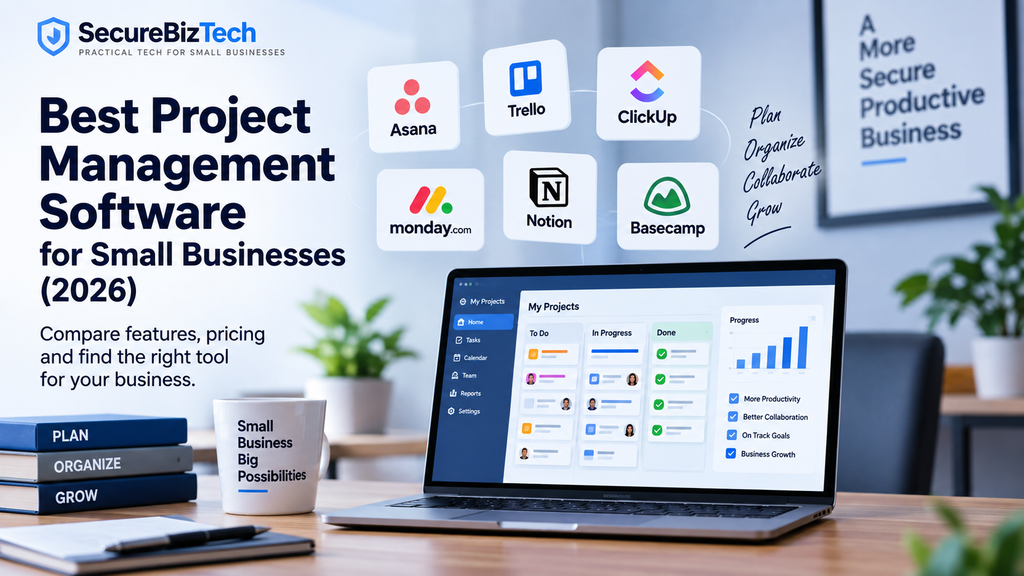
In this guide, we compare six of the best project management software options for small businesses in 2026: Asana, Trello, ClickUp, monday.com, Notion, and Basecamp.
Quick Comparison
| Software | Best For | Free Plan | Entry Paid Plan |
|---|---|---|---|
| Asana | Overall project management | Yes | $10.99/user/month |
| Trello | Simple visual workflows | Yes | $5/user/month |
| ClickUp | Features for the price | Yes | $7/user/month |
| monday.com | Custom workflows | Yes | $9/seat/month |
| Notion | Projects, docs, and knowledge | Yes | $10/member/month |
| Basecamp | Simple team collaboration | Yes | $25/month flat |
Prices shown reflect currently published vendor pricing and may vary by billing cycle, team size, region, or future plan changes. Asana
1. Asana – Best Overall for Small Business Project Management
Asana is one of the strongest all-around choices for businesses that want structured project management without moving immediately into enterprise-level complexity.
Teams can organize work using lists, boards, and calendars. Paid plans add timeline and Gantt views, reporting dashboards, custom fields, forms, automations, and other features useful for coordinating larger or more complicated projects.
Asana’s free Personal plan supports up to two users and includes unlimited tasks and projects. Its Starter plan currently costs $10.99 per user per month when billed annually, or $13.49 with monthly billing. Asana
Where Asana works well
Asana is particularly useful when a business has several projects running at the same time and needs clear responsibility for tasks and deadlines.
For example, a marketing team could manage website updates, content production, advertising campaigns, and product launches through separate projects while management monitors overall progress through dashboards.
Advantages
- Strong task and project organization
- Multiple project views
- Useful automation capabilities
- Good reporting and dashboards
- Large integration ecosystem
- Can scale as a business grows
Limitations
The main disadvantage for very small teams is pricing. Asana becomes considerably more expensive as the number of users increases, particularly if advanced portfolio and workload features are required.
Best for: Small businesses wanting a structured, scalable project management platform.
2. Trello – Best for Simplicity
Trello takes a much simpler approach.
Its core interface is based around visual boards containing lists and cards. A team might create columns such as:
To Do → In Progress → Review → Completed
Tasks are represented by cards that move between those stages.
This simplicity makes Trello particularly attractive to businesses introducing project management software for the first time.
Trello’s free plan supports up to 10 collaborators per Workspace and includes unlimited cards and up to 10 boards. Trello Standard currently costs $5 per user per month when billed annually, while Premium costs $10 per user per month annually. trello.com
Where Trello works well
Trello is a good choice for content calendars, simple marketing workflows, recruiting pipelines, basic client projects, and small operational teams.
Advantages
- Very easy to understand
- Generous free plan
- Low starting paid price
- Strong visual workflow
- Large selection of integrations and Power-Ups
Limitations
As projects become more complicated, the board-and-card structure can become difficult to manage. Teams needing advanced reporting, resource planning, or detailed dependencies may eventually prefer another platform.
Best for: Small teams that value simplicity over advanced project management features.
3. ClickUp – Best Value for Feature-Rich Project Management
ClickUp tries to bring a very broad collection of productivity features into one platform.
Beyond normal task management, it includes features such as dashboards, time tracking, goals, forms, Gantt charts, custom fields, collaboration tools, and automation.
Its Unlimited plan currently starts at $7 per user per month, while Business costs $12 per user per month when billed annually. ClickUp
ClickUp is also expanding its AI-related plans and capabilities, although the company notes that some newer plan structures are still being rolled out to different Workspaces. ClickUp Help
Where ClickUp works well
ClickUp can be attractive to small businesses trying to replace several separate tools with one platform.
A business could potentially manage projects, internal documents, team communication, forms, dashboards, goals, and time tracking from the same environment.
Advantages
- Large number of features
- Competitive pricing
- Native time tracking
- Flexible views and dashboards
- Strong customization options
- Useful automation features
Limitations
The same breadth that makes ClickUp powerful can make it feel overwhelming. Businesses looking for something extremely simple may find the interface and configuration options more complicated than Trello or Basecamp.
Best for: Growing small businesses that want many features without immediately paying premium prices.
4. monday.com – Best for Customizable Workflows
monday.com is built around highly customizable boards.
Instead of forcing every business into one fixed workflow, teams can build boards for project management, operations, marketing, client work, sales processes, and other activities.
The free monday work management plan supports up to two seats. Current annual pricing starts at approximately $9 per seat per month for Basic, $12 for Standard, and $19 for Pro. monday.com also notes that paid plans start from three users. monday.com
Where monday.com works well
Its flexibility is particularly useful for businesses whose work does not fit neatly into a conventional project-management structure.
For example, the same company could use one board for marketing campaigns, another for client onboarding, another for product development, and another for internal operations.
Advantages
- Highly customizable
- Attractive visual interface
- Strong automation capabilities
- Good dashboard options
- Supports many different business workflows
- Growing AI functionality
Limitations
Pricing deserves close attention. Because monday.com’s paid plans use seat-based pricing and minimum seat structures, the real cost for a very small business may be higher than the headline per-seat price suggests.
Best for: Businesses that want to design workflows around their own processes.
5. Notion – Best for Projects and Knowledge Management
Notion is somewhat different from traditional project management platforms.
It combines documents, wikis, databases, project tracking, calendars, and collaboration inside one workspace.
This makes it especially useful for small businesses that want project management and internal documentation in the same system.
Notion’s Free plan includes core database and project functionality. The Plus plan currently costs $10 per member per month, while Business costs $20 per member per month. Notion
Notion databases support project-oriented features including subtasks, dependencies, custom properties, and multiple ways of organizing information. Notion
Where Notion works well
Imagine a small agency.
Instead of keeping company procedures in Google Docs, project tasks in another app, meeting notes elsewhere, and onboarding documentation in separate folders, the agency could organize much of that information within one Notion workspace.
Advantages
- Combines projects and documentation
- Highly flexible databases
- Strong knowledge-base capabilities
- Good for internal documentation
- Attractive interface
- Increasingly capable AI tools
Limitations
Notion’s flexibility means businesses often need to design their own system. Teams looking for a traditional project management structure immediately out of the box may find Asana easier.
Best for: Businesses that want project management, documentation, and knowledge management together.
6. Basecamp – Best for Simple Team Collaboration and Flat Pricing
Basecamp emphasizes simplicity rather than offering every possible project-management feature.
Projects can bring together to-do lists, discussions, files, schedules, chat, and other collaborative tools.
One of Basecamp’s biggest differences is its pricing model.
Its free plan supports one project and up to five users. The Freelancer plan costs $25 per month for up to three active projects and up to 20 users. Studio costs $59 per month and allows unlimited users with up to 10 active projects. Higher tiers increase project and storage allowances while continuing to avoid typical per-user pricing. Basecamp
Where Basecamp works well
Basecamp becomes particularly interesting when a team has enough people that per-user pricing starts becoming expensive.
A 15-person business, for example, may care more about predictable monthly pricing than having every advanced project-management feature available.
Advantages
- Straightforward interface
- Predictable flat pricing
- Good team communication features
- Project templates
- Built-in time tracking
- Unlimited users on several plans
Limitations
Businesses requiring advanced resource management, sophisticated reporting, detailed dependencies, or complex automation may find Asana, ClickUp, or monday.com stronger.
Best for: Teams prioritizing simplicity and predictable pricing.
Which Project Management Software Is Best for Your Small Business?
Choosing the best project management software depends on a company’s specific requirements, as no one platform works best for every organization.
Choose Asana if you want strong traditional project management with room to grow.
Choose Trello if your main priority is simplicity and visual task tracking.
Choose ClickUp if you want the largest collection of features for a relatively low starting price.
Choose monday.com if your workflows are highly customized and you want flexible boards and automation.
Choose Notion if project management needs to live alongside company documentation and knowledge.
Choose Basecamp if simple collaboration and predictable flat-rate pricing matter more than advanced project-management features.
What Small Businesses Should Consider Before Choosing
Before paying for a best project management software, consider how your business actually works.
Ease of Use
A platform with hundreds of features provides little value if employees find it difficult to use.
For smaller businesses, adoption is often more important than feature count.
Team Size and Pricing
Compare the total cost rather than only the advertised starting price.
Per-user platforms can become significantly more expensive as your team grows, while flat-rate services may become comparatively attractive for larger teams.
Project Complexity
Simple task boards may be enough for straightforward workflows.
Businesses managing dependencies, timelines, multiple departments, budgets, or workloads may need more advanced project-management capabilities.
Integrations
Check whether the software connects with the applications your team already depends on, such as Google Workspace, Microsoft 365, Slack, cloud storage, accounting platforms, or CRM software.
Security and Permissions
Project management systems often contain internal files, client information, deadlines, conversations, and other business data.
Look carefully at account security, authentication options, permissions, administrative controls, and the security capabilities available at the plan level you intend to purchase.
Our Recommendation
For most small businesses looking for a conventional project-management platform, Asana is our strongest overall choice because it combines approachable task management with useful automation, reporting, project views, and room to scale.
For businesses prioritizing value and a broad feature set, ClickUp is an especially strong alternative.
If simplicity is the most important consideration, Trello remains one of the easiest platforms for small teams to adopt.
And businesses that want their project work, documentation, procedures, and knowledge base in one place should strongly consider Notion.
The important point is not to choose the platform with the longest feature list. Choose the system that matches how your team works and that employees are likely to use consistently.
Frequently Asked Questions
What is the best project management software for a small business?
Asana is one of the best overall options for small businesses that need structured project management. ClickUp is particularly competitive for features and value, while Trello is better suited to teams wanting a simpler visual workflow.
Is free project management software enough for a small business?
It can be. Very small teams with simple workflows may be able to operate comfortably on free plans. Paid plans become more useful when you need additional users, advanced reporting, automation, permissions, integrations, storage, or multiple project views.
Is Trello or Asana better for small businesses?
Trello is easier and less expensive for basic visual task management. Asana provides significantly more structure for managing complex projects, timelines, reporting, and growing teams.
Can a best project management software replace email?
Not completely, but it can significantly reduce internal project-related email. Conversations, files, assignments, due dates, and progress updates can stay attached to the relevant project or task instead of becoming scattered across email threads.
Final Thoughts
The best project management software for a small business is the one that fits the way your team already works.
Some businesses need structured project planning and reporting. Others simply need a clear place to manage tasks, deadlines, files, and team communication. That is why it is worth comparing several platforms before committing to one.
If you are also reviewing other tools for your business, you may find these SecureBizTech resources useful:
- Best Small Business Accounting Software – compare accounting platforms for managing invoices, expenses, reporting, and day-to-day finances.
- QuickBooks vs Xero for Small Businesses – a direct comparison of two popular accounting platforms.
- Small Business Technology Guides – practical guidance for choosing and using technology more effectively.
- Business Software for Small Businesses – explore more software categories and recommendations for small businesses.
- Cybersecurity for Small Businesses – learn how to protect the systems, accounts, and business data your team relies on.
As SecureBizTech expands this project-management section, we will also be publishing more detailed comparisons and reviews to help you decide which platform is the best fit for your business.
The goal is not to choose the most popular software. It is to choose a tool that your team can use consistently, that fits your budget, and that genuinely makes your work easier.
