QuickBooks vs. Xero: Which Accounting Software Is Best for Small Businesses?
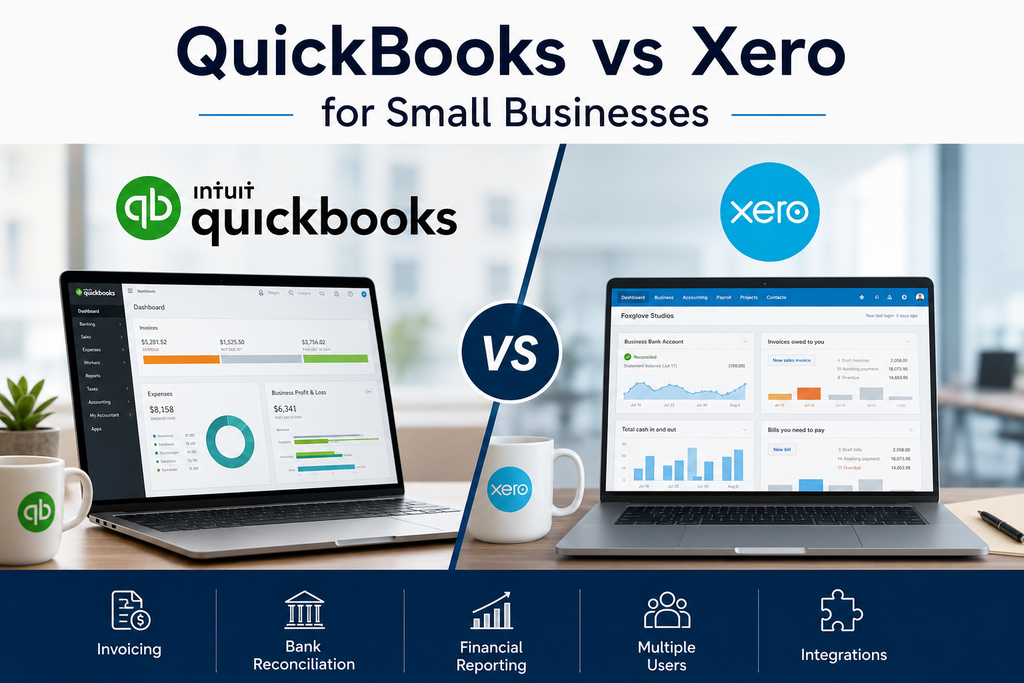
QuickBooks vs Xero for Small Businesses
Choosing accounting software can have a significant impact on how efficiently a small business manages invoices, expenses, bank transactions, reports, and day-to-day financial administration.
QuickBooks Online and Xero are two of the most established cloud accounting platforms for small businesses. Both offer invoicing, bank reconciliation, financial reporting, expense management, online payments, and integrations with other business applications.
The differences become more important when you look at pricing, user access, inventory, project tracking, reporting, automation, and how each platform handles a growing team.
In this QuickBooks vs Xero comparison, we look at the practical strengths and limitations of both platforms to help small businesses decide which one better fits their needs.
Quick Verdict
QuickBooks Online is generally the stronger choice for businesses that want a broad accounting platform, extensive reporting, inventory features, and access to a large ecosystem of accountants and integrations.
Xero is particularly attractive for businesses that want several people to access the accounting system without paying additional per-user subscription fees. It also provides strong bank reconciliation, collaboration, financial reporting, and increasingly sophisticated business insights.
Choose QuickBooks If
QuickBooks may be the better choice if:
- Your accountant already works with QuickBooks
- You want extensive accounting and reporting features
- Inventory management is important
- You need strong project-profitability tools
- You prefer a large ecosystem of integrations
- Your accounting requirements are likely to become more complex
Choose Xero If
Xero may be the better choice if:
- Several employees need accounting access
- You value collaboration
- You want strong bank reconciliation
- You need multi-currency accounting
- You prefer fewer user restrictions
- You want a modern alternative to QuickBooks
QuickBooks vs Xero: Quick Comparison
| Feature | QuickBooks Online | Xero |
|---|---|---|
| Best for | Businesses wanting broad accounting capabilities | Businesses prioritizing collaboration and multiple users |
| Starting regular price | $38/month | $25/month |
| User limits | Varies by plan | No per-user subscription fees |
| Invoicing | Strong | Strong |
| Bank reconciliation | Strong | Strong |
| Financial reporting | Excellent | Excellent |
| Inventory | Plus and higher plans | Available with supported plans/add-ons |
| Project tracking | Plus and higher plans | Established |
| Multi-currency | Available depending on plan/region | Established |
| Accountant ecosystem | Very large | Strong |
| Cash-flow forecasting | Available | 30–180 days depending on plan |
| Best advantage | Broad feature set | Collaboration and user access |
Pricing, promotions, and features can change. Always confirm current information directly with QuickBooks and Xero before subscribing.
QuickBooks Online Pricing
QuickBooks Online offers several plans for businesses with different accounting requirements.
Current regular US pricing is:
- Simple Start — $38 per month
- Essentials — $85 per month
- Plus — $140 per month
- Advanced — $340 per month
QuickBooks regularly offers introductory promotions, so new customers may temporarily pay much less than the regular subscription price.
QuickBooks Simple Start
Simple Start is designed for smaller businesses with relatively straightforward accounting requirements.
It includes features such as:
- Income and expense tracking
- Automated bookkeeping
- Invoicing
- Online payments
- Basic financial reports
- Receipt management
- Sales-tax features
- Cash-flow tools
The plan supports one primary user, along with accountant access.
QuickBooks Essentials
Essentials adds capabilities such as:
- Three users
- Bill management
- Enhanced reports
- Time tracking
- Broader financial administration
This plan is better suited to companies where more than one employee needs access to the accounting system.
QuickBooks Plus
Plus is where QuickBooks becomes particularly interesting for businesses with more complex operations.
It adds capabilities such as:
- Five users
- Inventory management
- Project profitability
- Budgeting
- Enhanced reporting
- Classes and location tracking
For many established small businesses, Plus is likely to be the most relevant QuickBooks plan.
QuickBooks Advanced
Advanced supports up to 25 users and adds more sophisticated reporting, permissions, workflow, and business-management capabilities.
Most very small businesses will not need this level.
Xero Pricing
Xero currently offers three main US plans:
- Early — $25 per month
- Growing — $55 per month
- Established — $90 per month
Xero has announced that these prices will increase on October 1, 2026, to $27, $59, and $97 respectively.
Like QuickBooks, Xero frequently offers introductory discounts.
Xero Early
Early is designed for businesses with limited transaction volume.
It currently includes:
- Up to 20 invoices and quotes
- Up to five bills
- Bank reconciliation
- Financial reporting
- Smart document capture
- Sales-tax tools
- 30-day cash-flow forecasting
- Domestic bill payments
The invoice and bill limits make this plan unsuitable for businesses with larger transaction volumes.
Xero Growing
Growing removes the restrictive invoicing and bill limits.
It also adds:
- Automated bill entry
- Automatic bank reconciliation features
- Enhanced financial visualization
- 60-day cash-flow forecasting
- Customizable performance dashboards
- Financial health scorecards
For many established small businesses, Growing is likely to provide the best balance between price and capability.
Xero Established
Established adds more advanced tools such as:
- 180-day cash-flow forecasting
- Multi-currency
- Project tracking
- Employee expenses
- Mileage claims
- KPI and ratio analysis
- Industry benchmarking
- International bill payments
This is the strongest Xero option for growing businesses with more complex requirements.
Pricing: QuickBooks or Xero?
At regular prices, Xero currently has the lower entry price.
QuickBooks Simple Start costs $38 per month, while Xero Early costs $25.
However, comparing only the cheapest plans can be misleading.
Xero Early limits businesses to 20 invoices and five bills, while QuickBooks Simple Start is structured differently and may be more practical for some businesses with higher transaction volume.
The difference becomes larger at the mid-level plans:
QuickBooks Essentials currently costs $85 per month, while Xero Growing costs $55.
Businesses should therefore compare the features they actually need rather than simply comparing plan names.
Pricing Verdict
Xero generally offers stronger value for businesses where several people need access to the accounting system.
QuickBooks can cost more, but businesses may consider the additional expense worthwhile if they need its broader feature ecosystem or already work closely with a QuickBooks accountant.
User Access
This is one of the biggest differences between the platforms.
QuickBooks User Limits
QuickBooks limits users according to the subscription plan.
Currently:
- Simple Start — 1 user
- Essentials — 3 users
- Plus — 5 users
- Advanced — up to 25 users
Accountant access is handled separately.
For a small business where only the owner and accountant need access, these limits may not matter.
For a company with several managers or finance employees, they can become important.
Xero User Access
Xero does not charge traditional per-user subscription fees on its core accounting plans.
That means businesses can provide access to more employees without moving to a different plan simply because another person needs to log in.
User Access Verdict
Xero has a clear advantage for collaboration and larger teams.
If five or six people need access to the accounting system, Xero’s approach can be significantly more flexible.
Ease of Use
Both platforms are designed for businesses rather than professional accountants alone, but they take slightly different approaches.
QuickBooks
QuickBooks provides a large number of accounting and business-management features.
That makes it powerful, but it can also make the interface feel more complicated.
New users may need time to understand areas such as:
- Chart of accounts
- Bank reconciliation
- Categories
- Projects
- Inventory
- Sales tax
- Reports
One important advantage is the huge amount of training material available online.
Many accountants and bookkeepers are also already familiar with QuickBooks.
Xero
Xero’s interface tends to feel more streamlined and collaborative.
Common tasks such as invoices, bills, reconciliation, and reports are relatively easy to locate.
Xero also provides onboarding assistance for new customers.
Ease-of-Use Verdict
This category is close.
Xero may feel slightly cleaner for teams starting from scratch, while QuickBooks may feel more familiar to businesses already working with accountants who use it regularly.
Invoicing
Both platforms provide strong invoicing tools.
QuickBooks Invoicing
QuickBooks allows businesses to:
- Create customized invoices
- Send invoices electronically
- Accept online payments
- Track payment status
- Send reminders
- Convert estimates into invoices
- Automate recurring transactions
Its invoicing tools integrate closely with the broader QuickBooks accounting system.
Xero Invoicing
Xero also supports:
- Online invoices
- Quotes
- Payment links
- Automated reminders
- Online payment services
- Invoice tracking
- Recurring invoicing
One limitation is that the Early plan restricts the number of invoices that can be sent.
Invoicing Verdict
For businesses with normal or high invoice volume, QuickBooks Simple Start may be more practical than Xero Early because of Xero’s Early-plan limits.
Once businesses move to Xero Growing, however, the difference becomes much smaller.
Bank Reconciliation
Bank reconciliation is one of the most important everyday accounting tasks.
Both platforms connect to financial institutions and help match bank transactions with accounting records.
QuickBooks
QuickBooks uses automated transaction categorization and matching to reduce manual bookkeeping.
Its newer accounting tools increasingly use automation and AI to help identify and categorize transactions.
Xero
Bank reconciliation has traditionally been one of Xero’s strengths.
Xero can suggest matches and automate parts of the reconciliation process.
Growing and Established also provide automatic reconciliation features currently described as beta functionality.
Bank Reconciliation Verdict
Both are strong.
Xero has a slight advantage for businesses that place a high value on a streamlined reconciliation workflow, while QuickBooks’ increasingly automated bookkeeping tools make the difference relatively small.
Financial Reporting
Both platforms provide standard accounting reports such as:
- Profit and loss
- Balance sheet
- Cash flow
- Accounts receivable
- Accounts payable
- Sales reports
- Expense reports
QuickBooks Reporting
QuickBooks has particularly strong reporting capabilities.
Higher plans provide:
- Enhanced reports
- Custom reports
- Inventory reports
- Project profitability
- Budgeting
- Class and location reporting
- KPI analysis on Advanced
Businesses with more complex reporting requirements may appreciate this depth.
Xero Reporting
Xero provides real-time reporting across all plans.
Higher tiers add:
- Customized dashboards
- Financial scorecards
- KPI analysis
- Industry benchmarking
- Longer cash-flow forecasts
Reporting Verdict
QuickBooks has an advantage for businesses requiring detailed and customizable accounting reports.
Xero still provides more than enough reporting capability for most small businesses.
Inventory Management
Inventory can be an important deciding factor.
QuickBooks
QuickBooks Plus includes inventory management.
Businesses can:
- Track products
- Monitor quantities
- Calculate cost of goods sold
- Create purchase orders
- Manage vendors
- Review inventory reports
This makes QuickBooks especially useful for retail and product-based businesses.
Xero
Xero includes basic inventory capabilities and also offers Inventory Plus as an optional add-on on supported plans.
Businesses with advanced inventory needs should carefully compare the exact functionality and additional cost.
Inventory Verdict
QuickBooks has the stronger built-in inventory proposition, particularly through QuickBooks Plus.
Project Tracking
Service businesses may need to understand whether individual projects are profitable.
QuickBooks
QuickBooks Plus includes project profitability features.
Businesses can track:
- Labor
- Expenses
- Income
- Project margins
Xero
Xero Established provides project tracking, including:
- Time
- Costs
- Quotes
- Invoices
- Project profitability
Project Tracking Verdict
Both platforms provide useful project tools, although businesses need higher-tier plans to access them.
The better choice will depend on whether the company prefers the broader QuickBooks accounting ecosystem or Xero’s collaboration model.
Cash-Flow Forecasting
Xero has recently placed considerable emphasis on forecasting.
Its current plans provide:
- Early — 30-day forecast
- Growing — 60-day forecast
- Established — 180-day forecast
QuickBooks also provides cash-flow planning and financial-insight tools, particularly through its newer Intuit Intelligence capabilities.
Cash-Flow Verdict
Xero currently makes forecasting particularly clear as part of its plan structure.
Businesses that place significant importance on forward-looking cash management may appreciate this.
Integrations
Both platforms integrate with many third-party business applications.
Common integration categories include:
- Payroll
- CRM
- Payments
- E-commerce
- Expense management
- Inventory
- Reporting
- Time tracking
- Project management
QuickBooks Ecosystem
QuickBooks benefits from its large user base and long history in small-business accounting.
Many business applications integrate directly with QuickBooks.
Xero Ecosystem
Xero also has a large app marketplace and is particularly strong in cloud-based business integrations.
Integration Verdict
Both platforms are strong.
Before choosing either product, check whether your existing CRM, payroll, payment provider, e-commerce platform, or other critical software has a supported integration.
Accountant and Bookkeeper Support
This can be more important than many businesses realize.
If your accountant strongly prefers one platform, switching to another may create unnecessary work.
QuickBooks
QuickBooks has a very large accountant and bookkeeper ecosystem, particularly in the United States.
Finding a professional who already understands QuickBooks is usually straightforward.
Xero
Xero also has a large network of accountants and advisors and continues to grow in the US market.
Accountant Support Verdict
QuickBooks currently has the stronger familiarity advantage in the US accounting market, although Xero has a substantial professional ecosystem of its own.
QuickBooks Pros and Cons
What We Like
- Broad accounting capabilities
- Strong reporting
- Good invoicing
- Inventory management
- Project profitability
- Large accountant ecosystem
- Extensive integrations
- Automation and AI-assisted bookkeeping
- Suitable for growing businesses
Potential Drawbacks
- Higher regular pricing
- User limits depend on plan
- Can feel complicated
- Important features often require higher tiers
- Plan jumps can significantly increase monthly cost
Xero Pros and Cons
What We Like
- No traditional per-user subscription fees
- Strong collaboration
- Good bank reconciliation
- Clean cloud interface
- Strong reporting
- Cash-flow forecasting
- Multi-currency
- Project tracking
- Large integration marketplace
- Competitive pricing
Potential Drawbacks
- Early plan has invoice and bill limits
- Advanced features require Established
- Inventory Plus may require additional cost
- US pricing is scheduled to increase in October 2026
- Some businesses may find fewer local accountants familiar with Xero than QuickBooks
Which Is Better for a Freelancer?
For a freelancer or one-person business, either platform can work.
QuickBooks Simple Start may make more sense if:
- Transaction volume is relatively high
- Your accountant uses QuickBooks
- You want strong financial reporting
Xero Early may make sense if:
- You have fewer than 20 invoices each month
- You want a lower starting price
- Your accounting requirements are simple
Very small service businesses should also consider alternatives such as FreshBooks or Wave.
Which Is Better for a Growing Business?
For a growing business, the decision becomes more interesting.
QuickBooks provides stronger built-in tools for areas such as inventory, project profitability, advanced reporting, and complex accounting workflows.
Xero provides an important advantage when many employees need access because there are no traditional per-user subscription charges.
A business expecting to add finance staff, managers, and external advisors may therefore find Xero easier to scale from a collaboration perspective.
Which Is Better for a Retail Business?
Retail businesses should look carefully at inventory.
QuickBooks Plus includes inventory management and cost-of-goods tracking directly within the accounting platform.
That makes QuickBooks particularly attractive for product-based and retail businesses.
Xero can still support inventory workflows, especially through Inventory Plus and integrations, but businesses should compare the full cost and functionality.
Which Is Better for a Service Business?
Service businesses tend to care more about:
- Invoicing
- Project tracking
- Time
- Expenses
- Profitability
Both QuickBooks Plus and Xero Established provide useful project-management and profitability tools.
Xero may be more attractive if several team members need access, while QuickBooks may appeal more to businesses already using its broader financial ecosystem.
QuickBooks vs Xero: Our Verdict
Neither product is universally better.
The best choice depends on how your business operates.
QuickBooks Is Better If
Choose QuickBooks if you value:
- Extensive accounting features
- Strong inventory management
- Detailed reporting
- A large accountant ecosystem
- Project profitability
- Broad third-party integration
- A familiar accounting platform
Xero Is Better If
Choose Xero if you value:
- Multiple users
- Team collaboration
- Competitive pricing
- Strong bank reconciliation
- Cash-flow forecasting
- Multi-currency
- A clean cloud-based workflow
For many established small businesses, QuickBooks offers the broader accounting toolkit.
For teams where several people need access and collaboration is important, Xero may provide better overall value.
Before You Choose
Do not make the decision based only on a feature table.
Use the trial or introductory period and test the tasks your business performs regularly.
Try to:
- Send an invoice
- Connect a bank account
- Reconcile several transactions
- Run a profit-and-loss report
- Invite your accountant
- Create a customer
- Enter a bill
- Review the mobile experience
A product that feels comfortable during everyday accounting work will usually be a better long-term choice than one that simply has more features.
Find the Right Accounting Software
If this QuickBooks vs Xero comparison helped you understand the differences, visit our Business Software, Reviews, and Comparisons sections for more practical technology guidance.
You can also read our Best Small Business Accounting Software guide to compare QuickBooks and Xero with FreshBooks, Zoho Books, Wave, and other options.
Pricing, promotions, features, and plan limits can change. QuickBooks pricing in this article was checked against Intuit’s official US pricing information, and Xero pricing was checked against Xero’s official US plans. Xero has announced US subscription increases beginning October 1, 2026, so verify current pricing before subscribing.
