5 Best Antivirus Software for Small Businesses
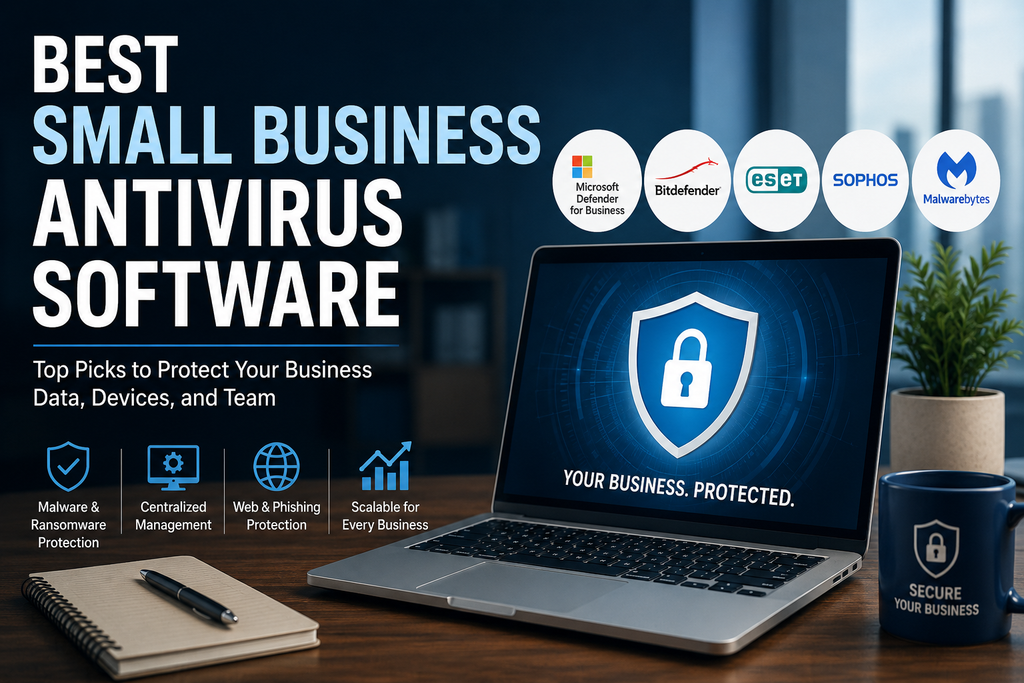
Best Small Business Antivirus Software
Small businesses rely on laptops, desktops, servers, and cloud-connected devices for almost every part of daily operations. Those devices may contain customer information, financial records, business documents, login credentials, and access to important online services.
Traditional antivirus software can help detect malware, but modern threats go far beyond simple computer viruses. Ransomware, phishing, malicious websites, fileless attacks, compromised applications, and stolen credentials can all create serious problems for a small company.
That is why businesses should look beyond basic consumer antivirus products and consider security tools designed specifically for business environments.
In this guide to the best small business antivirus software, we compare several strong options based on protection, ease of use, device management, ransomware defenses, business features, scalability, and overall suitability for smaller teams.
Quick Comparison
| Product | Best For | Key Strength |
|---|---|---|
| Microsoft Defender for Business | Microsoft 365 businesses | Strong integration with Microsoft ecosystem |
| Bitdefender GravityZone | Small businesses wanting strong endpoint protection | Powerful protection with centralized management |
| ESET Small Business Security / ESET PROTECT | Businesses wanting flexible protection | Lightweight security and scalable management |
| Sophos Endpoint | Growing businesses wanting advanced protection | Strong endpoint and ransomware defenses |
| Malwarebytes Small Business Security | Very small teams wanting simplicity | Straightforward protection for a limited number of devices |
Product plans, pricing, features, and availability can change. Always confirm current details directly with the provider before purchasing.
What Should Small Business Antivirus Protect Against?
Modern business antivirus software should protect against more than traditional viruses.
A good endpoint security product should help defend against threats such as:
- Malware
- Ransomware
- Phishing
- Malicious websites
- Trojan programs
- Spyware
- Exploits
- Suspicious applications
- Fileless attacks
- Potentially unwanted software
More advanced products may also provide vulnerability management, endpoint detection and response, device control, web filtering, automated investigation, and centralized security policies.
The exact features you need will depend on the size of your business and the sensitivity of the information stored on your devices.
1. Microsoft Defender for Business
Best for businesses already using Microsoft 365
Microsoft Defender for Business is designed specifically for small and medium-sized businesses.
It provides endpoint security for organizations with up to 300 users and is available as a standalone service or as part of Microsoft 365 Business Premium.
For companies already using Microsoft 365, that integration is one of its biggest advantages.
Protection Features
Microsoft Defender for Business provides capabilities that go beyond traditional antivirus protection.
Depending on the environment and configuration, these include:
- Next-generation malware protection
- Ransomware protection
- Endpoint detection and response
- Attack surface reduction
- Automated investigation and remediation
- Vulnerability management
- Centralized device management
- Security recommendations
The product is based on technology from Microsoft’s broader Defender for Endpoint platform but is designed to be easier for smaller organizations to manage.
Ease of Management
Microsoft provides a centralized Defender portal where administrators can monitor protected devices, alerts, vulnerabilities, and security recommendations.
Businesses already using Microsoft accounts and Microsoft 365 services may find this easier than introducing an entirely separate security ecosystem.
Device Support
Defender for Business supports Windows devices and also provides cross-platform protection for supported macOS, Android, and iOS devices.
Exact features may vary between platforms.
What We Like
- Designed specifically for SMBs
- Strong integration with Microsoft 365
- Endpoint detection and response
- Automated investigation and remediation
- Vulnerability-management capabilities
- Centralized administration
- Cross-platform support
- Included with Microsoft 365 Business Premium
Potential Drawbacks
- Administration may still take time to learn
- The strongest value is usually for businesses already using Microsoft’s ecosystem
- Some advanced enterprise-level Defender capabilities require other plans
- Licensing can become confusing when several Microsoft security products are compared
Who Should Consider It?
Microsoft Defender for Business is particularly attractive for companies already using Microsoft 365 Business Premium.
If your organization already manages employees through Microsoft accounts, keeping productivity and endpoint security inside the same ecosystem can simplify administration.
2. Bitdefender GravityZone
Best for businesses wanting strong centralized endpoint protection
Bitdefender GravityZone is a business-focused cybersecurity platform designed to protect desktops, laptops, servers, and other endpoints.
Bitdefender offers several business packages, including options specifically aimed at smaller organizations.
For many small businesses, GravityZone stands out because it combines strong threat protection with centralized administration.
GravityZone Small Business Security
GravityZone Small Business Security is aimed at smaller organizations that want relatively simple, set-and-forget endpoint protection.
It provides protection against threats such as:
- Malware
- Phishing
- Ransomware
- Fileless attacks
- Web-based threats
It also gives administrators visibility into protected devices and detected threats.
GravityZone Business Security
Businesses needing more control can consider GravityZone Business Security.
It adds features such as:
- Network Attack Defense
- Web access control
- Device control
- Endpoint risk analytics
- Centralized device administration
These capabilities can be useful when a company has several employees and wants more control over how business devices are used.
Ransomware Protection
Bitdefender places considerable emphasis on ransomware and advanced-threat prevention.
Its business products combine malware detection with behavioral monitoring and other security layers designed to identify suspicious activity before it causes significant damage.
What We Like
- Strong malware and ransomware protection
- Dedicated small-business options
- Centralized management
- Endpoint risk visibility
- Web and device controls on higher plans
- Support for desktops and servers
- Upgrade path for more advanced security requirements
- Free trial available
Potential Drawbacks
- Product tiers can be confusing for first-time buyers
- More advanced protection requires higher packages or add-ons
- Administrators still need to configure policies properly
- Pricing can vary according to device count and subscription term
Who Should Consider It?
Bitdefender GravityZone is a strong choice for small businesses that want dedicated endpoint security without moving immediately into a highly complex enterprise security platform.
It is particularly suitable for businesses managing several computers from one central console.
3. ESET Small Business Security and ESET PROTECT
Best for businesses wanting flexible and lightweight security
ESET has a long history in endpoint protection and offers different options depending on the size and complexity of the business.
For very small teams, ESET Small Business Security provides a relatively simple approach.
Growing companies can move toward the broader ESET PROTECT platform.
ESET Small Business Security
ESET Small Business Security is designed for smaller offices and teams.
It can protect supported:
- PCs
- Macs
- Smartphones
- Tablets
- Windows servers
Features include protection against phishing, malware, ransomware, and other online threats.
ESET also provides management tools that allow businesses to monitor the security status of protected devices.
ESET PROTECT
For businesses that need more centralized administration and scalability, ESET PROTECT provides a broader security platform.
Depending on the selected tier, features can include:
- Modern endpoint protection
- Ransomware defenses
- Device control
- Cloud-based security management
- Server protection
- Mobile security
- Advanced threat defense
- Vulnerability and patch management
- Cloud application protection
This makes ESET suitable for businesses that expect their security requirements to grow over time.
Performance
ESET has traditionally emphasized protection with a relatively light impact on system performance.
That can matter for small businesses using older computers or devices where security software that consumes excessive resources could affect productivity.
What We Like
- Options for both very small and growing businesses
- Protection against ransomware and phishing
- Cross-platform device support
- Centralized administration available
- Flexible licensing
- Server protection options
- Scalable ESET PROTECT platform
- Free trial options available
Potential Drawbacks
- Multiple ESET product tiers can make selection confusing
- Advanced features require higher protection levels
- Some very small companies may not need the broader ESET PROTECT platform
- Pricing can depend on device numbers and selected package
Who Should Consider It?
ESET is particularly attractive for businesses that want good endpoint security without unnecessary complexity.
The small-business package can work for smaller environments, while ESET PROTECT provides a path for companies that later need more centralized administration.
4. Sophos Endpoint
Best for growing businesses wanting advanced endpoint protection
Sophos Endpoint is another business-focused security platform designed to protect company devices against malware, ransomware, exploits, and other endpoint threats.
Sophos is particularly well known for endpoint security and its broader cybersecurity ecosystem.
Endpoint Protection
Sophos Endpoint uses multiple layers of protection rather than relying only on traditional malware signatures.
Depending on the plan and configuration, businesses can benefit from features aimed at:
- Malware prevention
- Ransomware protection
- Exploit prevention
- Behavioral detection
- Web protection
- Application control
- Device control
- Endpoint detection and response
Centralized Management
Sophos products are managed through Sophos Central.
This gives administrators a central location for viewing devices, applying policies, monitoring alerts, and managing security settings.
That becomes especially useful when a company grows beyond a handful of computers.
Sophos Ecosystem
Businesses using other Sophos products may benefit from managing several security services through the same environment.
For example, Sophos also offers firewall, email, network, and managed-security products.
Pricing
Sophos generally uses customized business pricing rather than displaying a simple fixed public price for every organization.
Pricing depends on factors such as the number of users and the security package selected.
Businesses should request a current quote before making a direct price comparison.
What We Like
- Strong business-focused endpoint protection
- Advanced ransomware defenses
- Centralized administration
- Endpoint detection capabilities
- Good fit for growing companies
- Broader Sophos security ecosystem
- Flexible business pricing
Potential Drawbacks
- Public pricing is less transparent than some competitors
- Small businesses may need to request a quote
- Some features may be more advanced than a very small business needs
- Initial configuration may require more technical knowledge
Who Should Consider It?
Sophos Endpoint is a strong candidate for small businesses that expect to grow and want a security platform capable of supporting more advanced requirements later.
It may also appeal to companies working with an IT consultant or managed service provider.
5. Malwarebytes for Small Business
Best for very small businesses wanting simple protection
Malwarebytes offers security packages specifically aimed at sole proprietors, boutique businesses, and small offices.
This makes it different from some enterprise-focused endpoint products that may feel excessive for a company with only a handful of devices.
Small Business Protection
Malwarebytes’ small-business offerings provide features such as:
- Malware protection
- Ransomware protection
- Protection against malicious websites
- Scam protection
- Cross-platform device support
Its small-business plans are organized around different device counts, making it relatively straightforward for very small businesses to understand what they are purchasing.
Ease of Use
One of Malwarebytes’ advantages is simplicity.
For a small company without an IT administrator, a straightforward security product may be preferable to an advanced endpoint platform containing dozens of controls the business will never use.
What We Like
- Simple approach for very small businesses
- Protection against malware and ransomware
- Malicious-website protection
- Plans designed around small device counts
- Support for PCs, Macs, Android, and iOS devices
- Familiar interface
Potential Drawbacks
- Larger businesses may need more advanced centralized controls
- Dedicated enterprise endpoint platforms offer deeper administration
- Businesses needing advanced EDR, device policies, or identity integration may prefer another solution
- The simplest packages may not provide every feature required by a growing organization
Who Should Consider It?
Malwarebytes can make sense for sole proprietors, small offices, or businesses with a relatively small number of devices that prioritize simplicity over advanced security administration.
Which Small Business Antivirus Is Best?
The best choice depends on your existing technology and the number of devices you need to protect.
Choose Microsoft Defender for Business If
Microsoft Defender for Business may be the strongest fit if:
- Your company already uses Microsoft 365
- You have Microsoft 365 Business Premium
- You want endpoint detection and response
- You prefer centralized Microsoft administration
- You want automated investigation capabilities
Choose Bitdefender GravityZone If
Bitdefender may be the strongest fit if:
- You want dedicated endpoint security
- Ransomware protection is a major priority
- You need centralized device management
- You manage desktops, laptops, or servers
- You want room to upgrade to more advanced security later
Choose ESET If
ESET may be the strongest fit if:
- You want relatively lightweight endpoint protection
- You have a mix of different devices
- You want simple security today with room to grow
- You may eventually need centralized endpoint administration
Choose Sophos If
Sophos may be the strongest fit if:
- Your business is growing
- You want more advanced endpoint security
- You expect to use additional security products later
- You work with an IT administrator or managed service provider
Choose Malwarebytes If
Malwarebytes may be the strongest fit if:
- Your business has only a few devices
- You prioritize simplicity
- You do not need advanced enterprise administration
- You want straightforward malware and ransomware protection
Antivirus vs Endpoint Protection: What Is the Difference?
The term “antivirus” is still widely used, but modern business security products often provide much more than antivirus scanning.
Traditional antivirus primarily focuses on finding and blocking malicious files.
Modern endpoint protection may also include:
- Behavioral analysis
- Ransomware protection
- Exploit prevention
- Attack-surface reduction
- Device controls
- Web filtering
- Vulnerability management
- Endpoint detection and response
- Automated investigation
- Centralized security policies
For a small business with several employees, endpoint protection is usually a more useful concept than relying solely on traditional antivirus.
Does Every Business Device Need Antivirus?
Generally, every company-owned endpoint that can access important business information should have appropriate security protection.
This includes:
- Employee laptops
- Office desktops
- Administrative computers
- Servers
- Remote-work devices
- Supported mobile devices where appropriate
A single unprotected device can create a pathway into business systems.
Businesses should also have procedures for employee-owned devices if staff members use them to access company data.
What Features Should You Look For?
When choosing small business antivirus software, consider these factors.
Malware Protection
The product should protect against common malware as well as newer threats.
Ransomware Defense
Ransomware can prevent a business from accessing critical files, so dedicated ransomware protection is particularly valuable.
Centralized Management
Managing security individually on every computer quickly becomes difficult.
A central dashboard can make it easier to check protection status, deploy policies, and respond to alerts.
Web and Phishing Protection
Many attacks begin when an employee visits a malicious website or interacts with a phishing message.
Web protection can add another layer of defense.
Device Control
Businesses may want to restrict USB storage devices or other removable media that could introduce malware or remove sensitive data.
Endpoint Detection and Response
EDR provides deeper monitoring and can help identify suspicious behavior that basic antivirus may not catch.
Very small businesses may not need sophisticated EDR immediately, but it becomes more valuable as an organization grows.
Performance
Security software should protect devices without unnecessarily slowing down everyday work.
Cross-Platform Support
Confirm that the software supports the operating systems your business actually uses.
How Much Should a Small Business Spend on Antivirus?
There is no one-size-fits-all budget for small business antivirus protection. A three-person company with five computers has very different security needs than a 50-person business with servers, remote employees, and sensitive customer data. The right investment depends on factors such as the size of your business, the number of devices you need to protect, and the level of security required.
Instead of choosing the cheapest product available, consider:
- Number of devices
- Number of employees
- Servers requiring protection
- Administrative features
- Ransomware protection
- EDR requirements
- Support
- Contract length
- Additional security modules
A slightly more expensive product may provide better value if it substantially simplifies administration or provides security features your business genuinely needs.
Is Free Antivirus Enough for a Business?
Free antivirus can provide some basic malware protection, but it is usually not the best long-term security strategy. A dedicated small business antivirus solution offers more comprehensive protection and management features for growing businesses.
Business security products typically provide capabilities that free consumer products do not, such as:
- Centralized management
- Business licensing
- Security policies
- Administrative visibility
- Device management
- Business support
- EDR
- Ransomware controls
- User and device reporting
For a sole proprietor using one computer, the requirements may be different.
Once several employees and devices are involved, dedicated business security software becomes much easier to justify.
Antivirus Alone Is Not Enough
While a small business antivirus solution is an essential part of cybersecurity, it cannot stop every type of attack on its own. Businesses should strengthen their security by combining antivirus protection with employee training, multi-factor authentication, secure backups, and regular software updates.
Watch this SecureBizTech explainer to learn why antivirus alone cannot fully protect a small business and discover seven essential security layers that work together.
Below, we explain several of these additional protections and how they strengthen your overall cybersecurity strategy.
Use Multi-Factor Authentication
MFA can help protect accounts if passwords are stolen.
See our Best Small Business MFA Tools guide for recommended authentication options.
Use a Password Manager
Employees should use unique passwords rather than repeating the same credentials across services.
Our Best Password Managers for Small Businesses guide compares several business options.
Keep Software Updated
Operating systems, browsers, applications, and plugins should receive security updates promptly.
Maintain Backups
Important business data should be backed up regularly.
At least one backup should be protected from ransomware and accidental deletion.
Train Employees
Employees should know how to recognize suspicious emails, fake login pages, unexpected attachments, and social-engineering attempts.
Our Recommendation
There is no universal winner for every small business antivirus.
For businesses already using Microsoft 365 Business Premium, Microsoft Defender for Business deserves serious consideration because it combines endpoint security with the Microsoft environment the company already uses.
For businesses wanting a dedicated endpoint-security platform, Bitdefender GravityZone offers an attractive balance of strong protection and centralized management.
ESET is a good option for companies that value flexible, relatively lightweight protection and want room to scale.
Sophos Endpoint is particularly attractive for growing companies that want more advanced endpoint-security capabilities.
Malwarebytes may make the most sense for very small teams that want straightforward protection without an overly complicated management platform.
Before purchasing, identify how many devices you need to protect, what operating systems you use, whether you have servers, and whether centralized administration is important.
Then use vendor trials where available before committing to a long subscription.
Protect More Than Your Devices
Choosing good small business antivirus software is an important part of cybersecurity, but endpoint protection should not stand alone.
Combine it with multi-factor authentication, strong password management, regular backups, software updates, limited administrator access, and employee security awareness.
Looking for more information beyond our Small Business Antivirus article? visit our Cybersecurity section and our Small Business Technology Guides.
You can also read our Best Small Business MFA Tools, Best Password Managers for Small Businesses, and 10 Cybersecurity Practices Every Small Business Should Follow guides.
Product features, packaging, prices, and licensing can change. Confirm current information directly with each provider before making a purchasing decision.
