Bitwarden Review for Small Businesses: Features, Pricing & Security
Bitwarden Review for Small Businesses
For small businesses, managing passwords becomes more difficult as more employees, apps, and shared accounts are added. Email platforms, accounting software, cloud storage, social media, customer systems, and administrative tools can quickly create dozens of credentials that need to be protected and shared safely.
Bitwarden is one of the better-known business password managers, particularly for organizations that want strong security features without paying premium prices. It combines encrypted password storage, team sharing, administrative controls, event logs, directory synchronization, and an open-source approach.
In this Bitwarden review for small businesses, we look at pricing, usability, security, team management, integrations, strengths, limitations, and the types of businesses that are likely to get the most value from it.
Quick Verdict
Bitwarden is a strong choice for small and growing businesses that want secure team password management at a relatively low per-user cost.
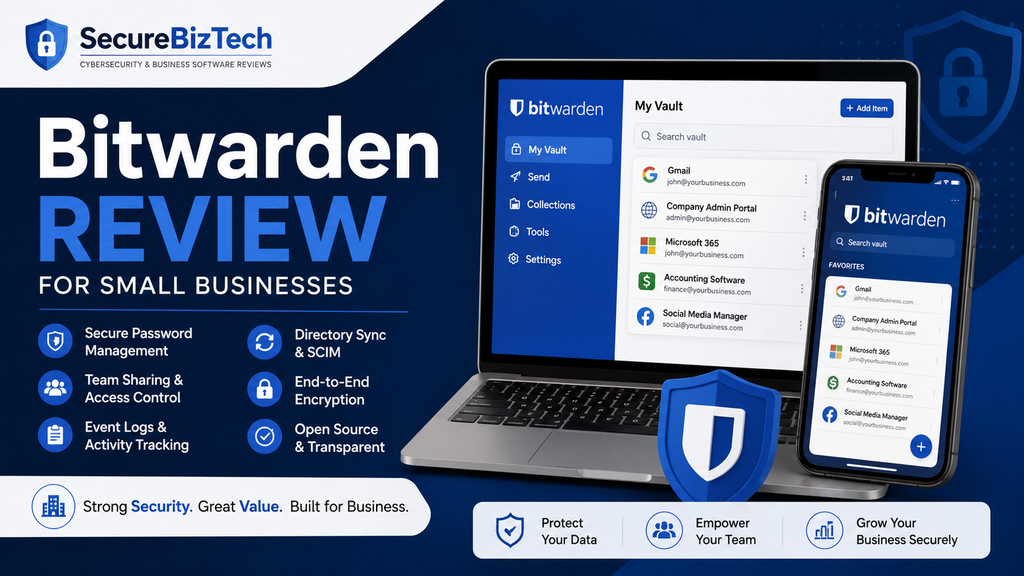
Its biggest strengths are pricing, secure credential sharing, event logs, directory synchronization, SCIM provisioning, open-source transparency, and a clear upgrade path for businesses that later need more advanced controls.
Its main trade-off is usability. Bitwarden is not difficult to use, but some competitors place more emphasis on visual simplicity and a polished onboarding experience. For a very non-technical team, that may matter.
Best For
Bitwarden is particularly well suited to:
- Small businesses trying to control software costs
- Teams that need secure password sharing
- Growing companies that need better employee access management
- Businesses that value open-source transparency
- Organizations that may eventually need directory integration or automated provisioning
Bitwarden Pricing for Small Businesses
Bitwarden currently offers two main business plans: Teams and Enterprise.
Bitwarden Teams
The Teams plan costs $4 per user per month when billed annually.
It includes centralized business password management together with:
- Secure credential sharing
- Event logs
- Directory synchronization
- SCIM provisioning
- Centralized ownership and management
For many small businesses, this is likely to be the most relevant plan because it provides the main administrative tools a growing team needs without moving immediately into enterprise-level features.
Bitwarden Enterprise
The Enterprise plan currently costs $6 per user per month when billed annually.
It includes the Teams features and adds capabilities such as:
- Granular access controls
- Passwordless SSO integration
- Account recovery
- Self-hosting
- Additional risk-management features
- A free Families plan for users
Enterprise is likely to make more sense when a company has more complex identity, access, or infrastructure requirements.
Pricing Verdict
For a small business with only a few employees, Bitwarden’s per-user model can be attractive because the company pays according to team size.
A business with five employees, for example, would pay for five Teams seats instead of purchasing a larger fixed bundle.
That makes Bitwarden especially appealing to small companies that want proper password management but need to keep recurring software costs under control.
Pricing can change, so businesses should confirm the latest information directly with Bitwarden before purchasing.
Ease of Use
Bitwarden is available through browser extensions, desktop applications, mobile apps, and the web vault.
For everyday employees, the main tasks are straightforward:
- Saving passwords
- Generating strong passwords
- Autofilling login details
- Accessing shared credentials
- Managing personal vault items
- Using credentials across devices
The interface is functional and relatively easy to understand once users become familiar with it.
Where Bitwarden may require slightly more explanation is in its business structure.
Organizations and Collections
Business credentials are managed through organizations and collections.
An organization represents the company or shared business environment, while collections are used to group and control access to shared vault items.
For example, a business could create separate collections for:
- Finance
- Marketing
- Website administration
- Management
- Social media
- Shared business services
Employees can then receive access only to the collections relevant to their work.
This structure is useful, but new administrators may need some time to understand the relationship between personal vaults, organizations, collections, groups, and permissions.
Ease-of-Use Verdict
Bitwarden is not difficult to use, but it may feel slightly more technical than some competitors.
For a small business with a reasonably comfortable administrator, that should not be a major issue.
For teams made up almost entirely of non-technical employees, a more heavily polished product may require less onboarding.
Security and Encryption
Security is one of Bitwarden’s strongest areas.
Bitwarden uses end-to-end encryption, meaning vault data is encrypted before it leaves the user’s device. Bitwarden describes its system as a zero-knowledge architecture, meaning the company itself does not have access to the information stored inside users’ encrypted vaults.
Bitwarden also uses strong cryptographic methods, including AES-256 encryption for vault data.
Open-Source Approach
One of Bitwarden’s distinguishing features is that its source code is publicly available.
That allows developers, security researchers, and independent auditors to examine the code rather than relying entirely on claims made by the vendor.
Open source does not automatically make software secure, but it does provide additional transparency and allows security claims to be independently examined.
Third-Party Security Reviews
Bitwarden says its products are regularly reviewed by external security firms and independent researchers.
The company also publishes security and compliance information and operates a vulnerability disclosure program.
Security Verdict
For most small businesses, Bitwarden provides a strong security foundation.
The more important question is usually not whether Bitwarden offers strong encryption, but whether the business configures the service properly.
Administrators should still require multi-factor authentication, control access carefully, remove former employees promptly, and train staff to recognize phishing attempts.
Team Sharing and Administration
A business password manager should make credential sharing safer than sending passwords through email, messaging apps, or spreadsheets.
Bitwarden allows businesses to place shared credentials inside collections and control which employees can access them.
For example, the marketing team could have access to social media accounts without receiving access to financial or administrative credentials.
This makes it possible to follow the principle of least privilege: employees receive access only to the information they need to perform their jobs.
Centralized Ownership
A major benefit of a business password manager is that important credentials can belong to the organization rather than remaining under the control of individual employees.
This becomes especially valuable when someone leaves the company.
Instead of trying to recover credentials from the departing employee, administrators can remove that person’s access while keeping the company’s shared credentials inside the organization.
Event Logs
Bitwarden Teams includes event logs that allow administrators to review activity inside the business organization.
For small companies, this can help with basic accountability and troubleshooting.
For example, an administrator may be able to review changes to business access or determine when certain activities occurred.
Directory Synchronization and SCIM
Manual account management works reasonably well for a very small team.
As a company grows, however, inviting users, creating groups, and removing former employees one by one becomes increasingly inefficient.
Bitwarden Teams supports both directory synchronization and SCIM provisioning.
Directory Connector
Bitwarden’s Directory Connector can synchronize users, groups, and group relationships from supported directory services into a Bitwarden organization.
It can also remove organizational access when a user is disabled in the connected directory.
SCIM Provisioning
SCIM can automate user provisioning and management.
For businesses already using a centralized identity system, this can reduce manual administrative work and make onboarding and offboarding more consistent.
Why This Matters for Small Businesses
A five-person company may not need automated user provisioning today.
But if the company grows to 20, 50, or more employees, these capabilities become much more valuable.
The fact that Bitwarden includes them in Teams gives growing businesses room to improve administration without immediately moving to the Enterprise plan.
Integrations and Business Features
Bitwarden works across major browsers, operating systems, and mobile platforms.
For most small businesses, that means employees can use the same vault across work computers, phones, and browsers.
The platform also supports integration with directory and identity systems for business administration.
Self-Hosting
Businesses with advanced infrastructure requirements can self-host Bitwarden under the Enterprise plan.
This allows an organization to operate the Bitwarden server environment on its own infrastructure instead of relying entirely on Bitwarden’s cloud service.
Most small businesses will not need this.
Self-hosting creates additional responsibility for maintenance, security, backups, and availability, so it should generally be considered only when a company has the technical resources and a clear reason to manage the infrastructure itself.
Bitwarden Pros and Cons
What We Like
- Competitive business pricing
- Secure team password sharing
- End-to-end encrypted vaults
- Zero-knowledge architecture
- Open-source transparency
- Event logs included with Teams
- Directory synchronization
- SCIM provisioning
- Cross-platform applications and browser extensions
- Enterprise upgrade path for advanced requirements
- Self-hosting available on Enterprise
Potential Drawbacks
- Interface may feel less polished than some premium competitors
- Business administration can take time to understand initially
- Some advanced identity and access features require Enterprise
- Self-hosting is only suitable for organizations with the technical resources to manage it properly
Who Bitwarden Is Best For
Bitwarden is particularly strong for small businesses that want a good balance between cost, security, and administrative capability.
Small Teams on a Budget
For companies with only a few employees, per-user pricing makes it possible to introduce proper password management without paying for unnecessary seats.
Growing Businesses
Directory synchronization, SCIM provisioning, event logs, and centralized credential ownership make Bitwarden attractive to businesses that expect to add employees over time.
Technically Comfortable Teams
Businesses with an IT administrator, technical founder, consultant, or managed service provider may appreciate the flexibility Bitwarden provides.
Businesses That Value Transparency
Organizations that prefer open-source security tools may find Bitwarden particularly attractive because its source code can be independently reviewed.
Who Should Consider an Alternative
Bitwarden will not be the ideal choice for every company.
Teams Prioritizing the Simplest Possible Experience
If your employees are very uncomfortable with technology, a password manager with an especially polished onboarding and interface may be easier to introduce.
For example, 1Password is a strong alternative when ease of use and employee adoption are higher priorities than keeping per-user cost as low as possible.
Businesses Wanting a Fixed Small-Team Package
Some companies may prefer a fixed-price package rather than per-user billing.
For teams close to 10 members, 1Password’s Teams Starter Pack may become more competitive depending on current pricing.
Organizations With Specialized Requirements
Large or highly regulated organizations should evaluate identity integration, compliance, logging, support, deployment, and security requirements in detail rather than choosing a password manager based only on price.
Bitwarden vs Other Business Password Managers
Bitwarden competes with products such as 1Password, Dashlane, Keeper, and other business password managers.
Its strongest competitive advantage is not that it automatically beats every alternative in every category.
Instead, it offers an unusually strong combination of:
- Low per-user pricing
- Strong encryption
- Open-source transparency
- Team sharing
- Event logs
- Directory synchronization
- SCIM provisioning
- Enterprise flexibility
Compared with 1Password, Bitwarden generally has the stronger value proposition, while 1Password may have an advantage in interface polish and ease of adoption.
Businesses deciding between the two can read our 1Password vs Bitwarden for Small Businesses comparison for a more detailed side-by-side analysis.
You can also see our Best Password Managers for Small Businesses guide for additional options.
Final Verdict
Bitwarden is one of the strongest password-manager choices for small businesses that want serious business features without paying a premium price.
The Teams plan offers the capabilities many small and growing companies actually need: secure sharing, centralized management, event logs, directory synchronization, and SCIM provisioning.
Its open-source model and end-to-end encrypted architecture also provide an additional level of transparency that may appeal to security-conscious businesses.
The main trade-off is that Bitwarden can feel slightly more technical than products designed primarily around a highly polished user experience.
For a business with a reasonably comfortable administrator, however, that trade-off is likely to be acceptable.
Our Recommendation
Choose Bitwarden if your business values strong security, transparent pricing, administrative flexibility, and good value.
Consider an alternative such as 1Password if your highest priority is providing employees with the simplest and most polished experience possible.
Before purchasing, test Bitwarden with a small group of employees and confirm that the workflow fits your team. A password manager is only useful when employees are comfortable enough to use it consistently.
For more practical security advice, including topics such as Bitwarden and password management for small businesses, visit our Small Business Technology Guides.
Pricing and product features in this review were checked against Bitwarden’s official information. Plans and features can change, so confirm current details directly with Bitwarden before making a purchasing decision.