Top 3 Best Password Managers Picks
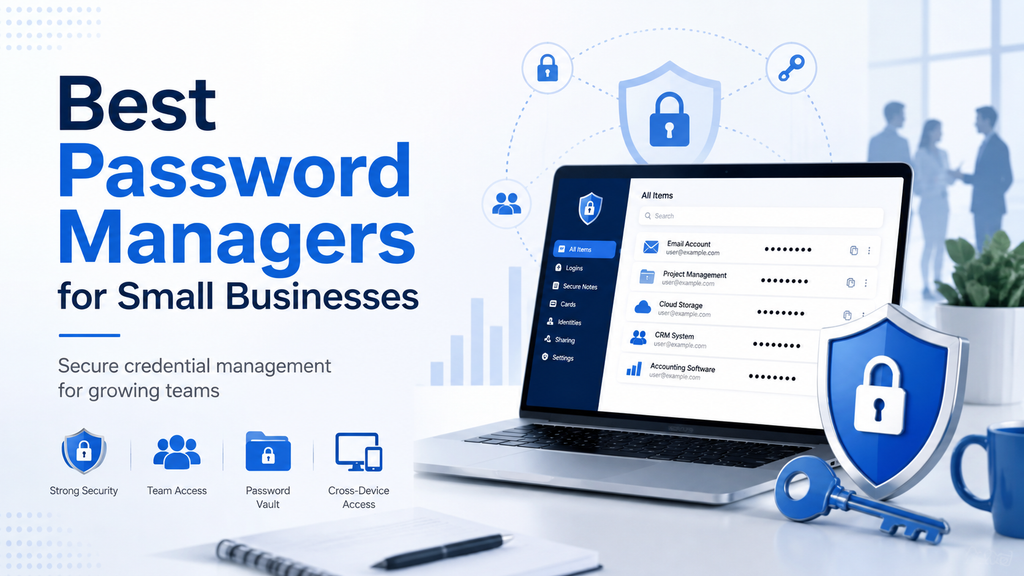
Best Password Managers for Small Businesses
Managing passwords becomes more difficult as a business grows. Employees may need access to email accounts, cloud platforms, financial tools, social media, customer systems, and dozens of other services. Without a proper system, people often fall back on weak passwords, password reuse, spreadsheets, or sharing credentials through messages.
A business password manager gives teams a safer way to create, store, and share credentials while giving administrators more control over access. The best choice depends on your team size, budget, security requirements, and how much administrative control you actually need.
Below are several password managers worth considering for small businesses.
Quick Comparison
| Password Manager | Best For | Business Pricing* | Notable Strength |
|---|---|---|---|
| 1Password | Small teams wanting an easy, polished experience | Teams Starter: $24.95/month for up to 10 users | Simple team sharing and strong business controls |
| Bitwarden | Businesses looking for strong value | Teams: $4/user/month | Open-source approach and competitive pricing |
| Dashlane Omnix | Businesses wanting password management plus credential-risk tools | Password Management: $8/user/month | Strong credential monitoring and administration |
*Pricing can change and may vary by country, billing period, taxes, and plan. Always confirm current pricing with the provider before purchasing.
1. 1Password
Best for small teams that want an easy-to-manage solution
1Password combines a polished interface with business-oriented administration and secure credential sharing. Its Teams Starter Pack is designed specifically for smaller teams and includes up to 10 members for a fixed monthly price when billed annually.
Teams can organize credentials into shared vaults and control which employees can access particular information. The service also includes security alerts and role-based permissions, while the higher Business plan adds broader identity-provider integrations and administrative capabilities.
What We Like
- Straightforward interface
- Secure password and sensitive-data sharing
- Role-based access controls
- Useful security alerts
- Dedicated Teams Starter option for smaller companies
- 14-day free trial
Potential Drawbacks
1Password can become more expensive than lower-cost alternatives as the number of users grows. Small companies primarily interested in basic password storage may also find that they do not need every business feature available.
Who Should Consider It?
1Password is particularly attractive for small businesses that value ease of use and want a solution that employees can adopt without extensive training.
2. Bitwarden
Best for businesses looking for value and flexibility
Bitwarden is a strong option for companies that want business password management without a high per-user price. Its Teams plan includes secure credential sharing, audit logs, directory synchronization, and automated provisioning capabilities.
Bitwarden also distinguishes itself through its open-source approach. Organizations with more advanced requirements can move to the Enterprise plan for additional capabilities such as granular access controls, passwordless SSO integration, account recovery, and self-hosting options.
What We Like
- Competitive business pricing
- Unlimited users on the Teams plan at a per-seat rate
- Secure shared collections
- Event and audit logs
- Directory and SCIM support
- Open-source approach
- Self-hosting available on Enterprise
Potential Drawbacks
The interface may feel less polished to some users compared with products that place a stronger emphasis on visual simplicity. Some advanced controls also require the Enterprise tier.
Who Should Consider It?
Bitwarden is particularly compelling for cost-conscious small and growing businesses that want strong security and administrative features without paying premium prices.
3. Dashlane Omnix Password Management
Best for businesses focused on credential risk
Dashlane has reorganized its professional offering under the Omnix brand. Omnix Password Management is designed to help organizations store, manage, and securely access employee credentials.
The platform includes password and passkey management, secure credential sharing, password policies, and integrations with SSO and SCIM. Dashlane also offers separate credential-protection capabilities for organizations that want deeper monitoring of credential-related risks.
What We Like
- Strong business credential management
- Support for passwords and passkeys
- Secure password sharing
- Administrative password policies
- SSO and SCIM integrations
- Broader credential-risk tools available within the Omnix platform
Potential Drawbacks
Its professional pricing is higher than some lower-cost competitors, which may matter to very small businesses. Dashlane has also changed its professional plan names and packaging, so businesses should carefully review the current options before purchasing.
Who Should Consider It?
Dashlane is worth considering for businesses that want password management as part of a broader credential-security strategy rather than simply a place to store passwords.
How to Choose a Password Manager for Your Business
Look Beyond Password Storage
A business password manager should do more than remember passwords. Consider whether it supports secure sharing, employee onboarding and offboarding, access controls, activity logs, multi-factor authentication, and administrator oversight.
Consider Employee Adoption
A security tool provides little value if employees find it confusing and avoid using it. Look for a product that makes everyday tasks such as saving, generating, and sharing credentials straightforward.
Review Administrative Controls
As your team grows, you may need to remove employee access, change permissions, organize users into groups, or review security activity. These capabilities become increasingly important when several people share access to business systems.
Compare Total Cost
Do not evaluate a product only by its advertised monthly price. Consider the number of users included, minimum commitments, annual billing requirements, additional features, and whether you may eventually need a higher-tier plan.
Check Integration Requirements
Businesses already using services such as Microsoft Entra ID, Okta, Google Workspace, or other identity systems should check which integrations are supported and whether they require a particular subscription tier.
Which Password Manager Is Best for a Small Business?
There is no single password manager that will be ideal for every company.
1Password is a strong choice for small teams that prioritize simplicity and a polished user experience.
Bitwarden stands out for businesses that want strong functionality at a relatively low per-user cost.
Dashlane Omnix may appeal more to organizations that want password management alongside broader credential-risk capabilities.
The right choice ultimately depends on how many people need access, what systems your business already uses, how much administrative control you require, and what you are willing to spend.
Strengthen More Than Just Your Passwords
A password manager is only one part of a broader security strategy. Businesses should also use multi-factor authentication, keep software updated, maintain reliable backups, train employees to recognize phishing attempts, and limit access to sensitive information.
For more practical guidance, visit our Cybersecurity section and our Small Business Technology Guides.
Before choosing a provider, review the latest product features and pricing directly from the vendor because subscription plans can change over time.
Cybersecurity → Explore our Cybersecurity section for more security guidance.
Guides → See our Guides for practical small business technology advice.
Reviews → Browse Reviews for detailed product evaluations.
Comparisons → Visit Comparisons for side-by-side product analysis.
