Business Software for Small Businesses
Choosing the right business software can make everyday work easier, improve efficiency, and help a small team stay organized as the company grows. The challenge is that there are thousands of tools available, often with overlapping features, different pricing models, and very different levels of complexity. A solution that works well for a larger organization may be too expensive or difficult to manage for a smaller business.
SecureBizTech helps small businesses understand the software options available, compare practical features, and choose tools that fit the way they actually work. Whether you are looking for accounting software, project management tools, communication platforms, customer relationship management systems, or cloud storage, the goal is to help you make informed decisions without paying for unnecessary complexity.
Essential Software Categories for Small Businesses
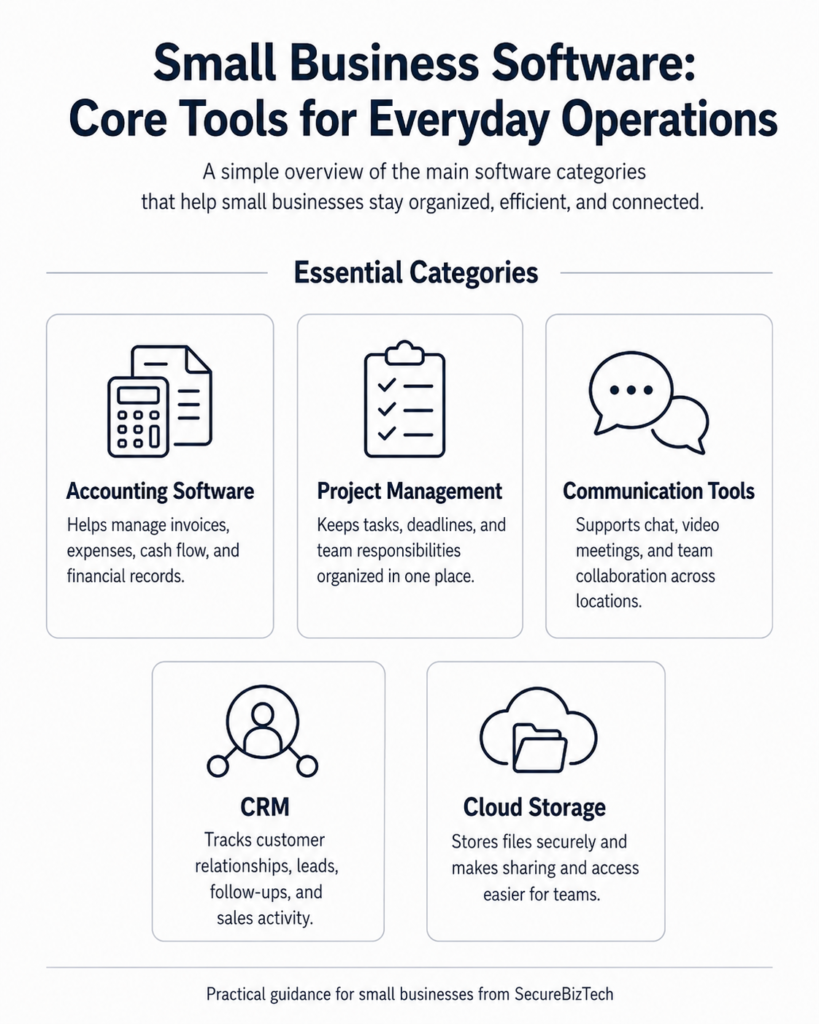
Essential software categories cover the everyday tools small businesses use to manage finances, organize work, communicate with teams, serve customers, and store important information. Understanding the purpose of each category makes it easier to decide which tools your business actually needs and which features are worth paying for.
Accounting Software
Accounting software can help manage invoices, expenses, cash flow, and financial records without relying entirely on spreadsheets. The right option should be easy to use and match the size and complexity of your business.
Project Management Tools
Project management software helps teams organize tasks, deadlines, responsibilities, and progress in one place. For smaller teams, simple collaboration and clear visibility are often more valuable than advanced features.
Communication and Collaboration
Communication tools can make it easier for employees to share information, hold meetings, and work together across different locations. The best choice depends on how your team communicates and whether you need chat, video, file sharing, or all three.
Customer Relationship Management (CRM)
CRM software helps businesses keep track of customer information, sales activity, follow-ups, and ongoing relationships. A simple CRM can be especially useful when customer details are becoming difficult to manage manually.
Cloud Storage and File Sharing
Cloud storage gives employees a central place to access and share business files. When choosing a service, consider storage limits, access controls, backup options, and how well it works with the tools you already use.
How to Choose the Right Software
Choosing the right software starts with understanding what your business actually needs. Rather than focusing only on popular brands or long feature lists, consider how the software will fit into your daily work, how easy it is for your team to use, what it will cost as your business grows, and whether it offers the security and integrations you need. A good choice should solve a real problem without adding unnecessary complexity.
Start With the Problem You Need to Solve
Before comparing products, identify the specific problem you want the software to solve. A small business may need better invoicing, easier team communication, stronger customer tracking, or a simpler way to manage projects. Starting with the need makes it easier to avoid paying for features you may never use.
Consider Ease of Use
Software is only useful if people are comfortable using it. A product with fewer features but a simple interface may be a better choice for a small team than a more advanced platform that requires extensive training.
Compare the Full Cost
Look beyond the advertised monthly price. Some software charges extra for additional users, storage, integrations, support, or advanced features. Understanding the total cost helps prevent surprises as your business grows.
Check Integrations
Good business software should work with the tools you already rely on. Before choosing a product, check whether it connects with your email, accounting system, cloud storage, payment platform, or other important services.
Think About Security and Reliability
Business software may hold customer information, financial records, or other sensitive data. Look for features such as multi-factor authentication, access controls, encryption, reliable backups, and a clear record of service availability.
For additional guidance on managing technology and cybersecurity risk, small businesses can review the NIST Small Business Cybersecurity Corner.
NIST Small Business Cybersecurity Corner
Popular Business Software Areas We Cover
SecureBizTech covers software used across everyday business operations, from accounting and project management to communication, customer management, cloud storage, and security. As we publish more reviews and comparisons, this page will serve as a starting point for finding the right tools for different business needs.