Small Business Cybersecurity Checklist
Cybersecurity does not have to be complicated. Small businesses can reduce a large amount of risk by consistently following a few practical security habits.
This checklist covers the areas that matter most for everyday business security, including passwords, multi-factor authentication, email protection, devices, software updates, backups, employee access, cloud services, and incident preparedness.
Work through each section and use it to identify areas where your business may need improvement.
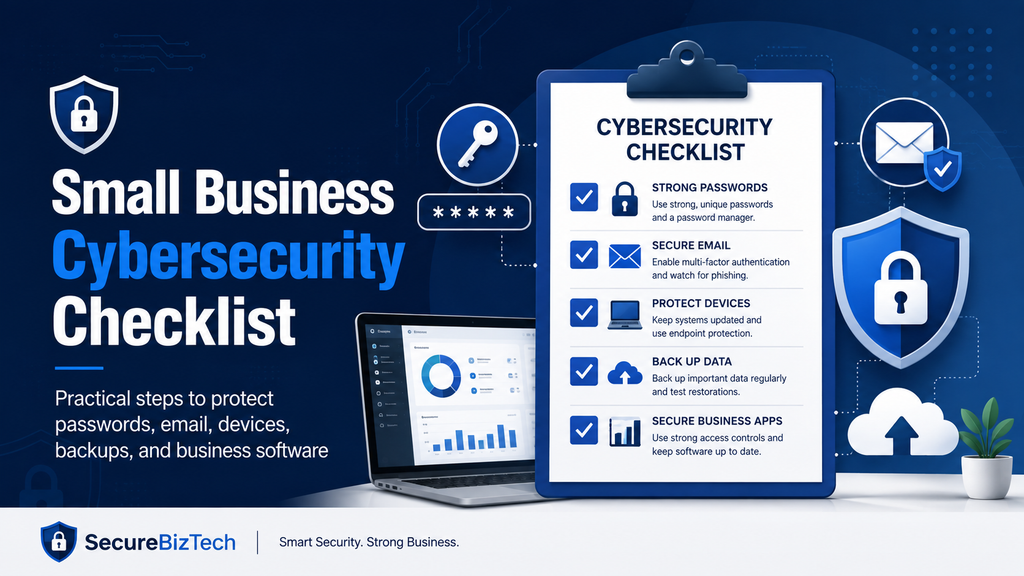
Prefer a printable version?
You can also download the free Small Business Cybersecurity Checklist PDF and keep it for regular security reviews.
Passwords & Access
- Use a password manager for business accounts.
- Create a unique password for every important account.
- Avoid sharing passwords through email, messaging apps, or spreadsheets.
- Use strong passwords for administrator and financial accounts.
- Remove account access promptly when an employee or contractor leaves.
- Review shared accounts regularly and confirm that everyone still needs access.
Multi-Factor Authentication
- Enable multi-factor authentication on business email accounts.
- Protect banking, payment, and financial services with MFA.
- Enable MFA on cloud storage and important business applications.
- Require MFA for administrator accounts wherever possible.
- Prefer authenticator apps, passkeys, or physical security keys over SMS when practical.
- Keep account-recovery information up to date.
Email Security
- Train employees to recognize phishing and impersonation attempts.
- Verify unusual payment requests through a second communication method.
- Be cautious with unexpected password-reset messages.
- Use spam, malware, and phishing filtering.
- Avoid opening unexpected attachments or links.
- Check the sender address carefully before responding to sensitive requests.
Devices & Endpoint Protection
- Use reputable antivirus or endpoint-protection software.
- Enable device encryption on laptops and mobile devices where available.
- Require screen locks and strong device login credentials.
- Keep business devices physically secure.
- Avoid giving employees unnecessary administrator privileges.
- Separate personal and business devices where practical.
Software Updates
- Enable automatic operating-system updates when possible.
- Keep browsers and business applications up to date.
- Update security tools regularly.
- Remove software that is no longer needed.
- Replace unsupported operating systems and applications.
- Review important business software periodically for security updates.
Backups
- Back up important business files automatically.
- Keep at least one backup separate from your primary systems.
- Protect backup accounts with multi-factor authentication.
- Confirm that backups are completing successfully.
- Test whether important files can actually be restored.
- Keep recovery instructions available to the people responsible for business continuity.
Employee Security
- Provide basic cybersecurity awareness training.
- Teach employees how to report suspicious emails or activity.
- Explain how business passwords should be stored and shared.
- Limit access according to each employee’s responsibilities.
- Review access when an employee changes roles.
- Remove former employees and contractors from business systems promptly.
Data & Permissions
- Give employees access only to the information they need.
- Review administrator privileges regularly.
- Restrict access to financial, customer, and confidential information.
- Check permissions on shared folders and cloud storage.
- Remove outdated users, groups, and shared links.
- Avoid storing sensitive data unnecessarily.
Cloud & Business Software
- Review the security settings of important cloud applications.
- Remove unused user accounts and integrations.
- Check which employees can access shared cloud files.
- Enable available security alerts and login notifications.
- Review software providers before storing sensitive business information.
- Keep a list of your most important business applications and account owners.
Incident Preparedness
- Decide who should respond if a security incident occurs.
- Document what employees should do after noticing suspicious activity.
- Maintain contact information for important service providers.
- Know how to disable compromised accounts quickly.
- Keep basic recovery instructions for important systems.
- Review your cybersecurity plan after significant business or technology changes.
Start With These Five Priorities
If you cannot address everything at once, start with the security improvements that can reduce some of the most common risks:
- Use a business password manager.
- Enable multi-factor authentication on important accounts.
- Keep devices and software updated.
- Maintain reliable, tested backups.
- Train employees to recognize phishing attempts.
Small improvements across these areas can significantly strengthen the security of a small business without requiring an enterprise-level cybersecurity program.
Download the Free Small Business Cybersecurity Checklist
Want to keep a copy for your team?
Download the free printable Small Business Cybersecurity Checklist PDF and use it during regular security reviews, employee onboarding, or discussions with your IT provider.
For additional guidance, explore our Cybersecurity section and Small Business Technology Guides for practical articles on passwords, multi-factor authentication, antivirus software, backups, email security, and other business technology topics.
For additional guidance, the NIST Cybersecurity Framework 2.0 Small Business Quick-Start Guide provides practical cybersecurity risk-management guidance specifically for small and medium-sized businesses.